Tools
The calculators a TD reaches for during a night, the rulebook, and the club's library, backup and machine. Nothing here changes a tournament unless you book or apply it.
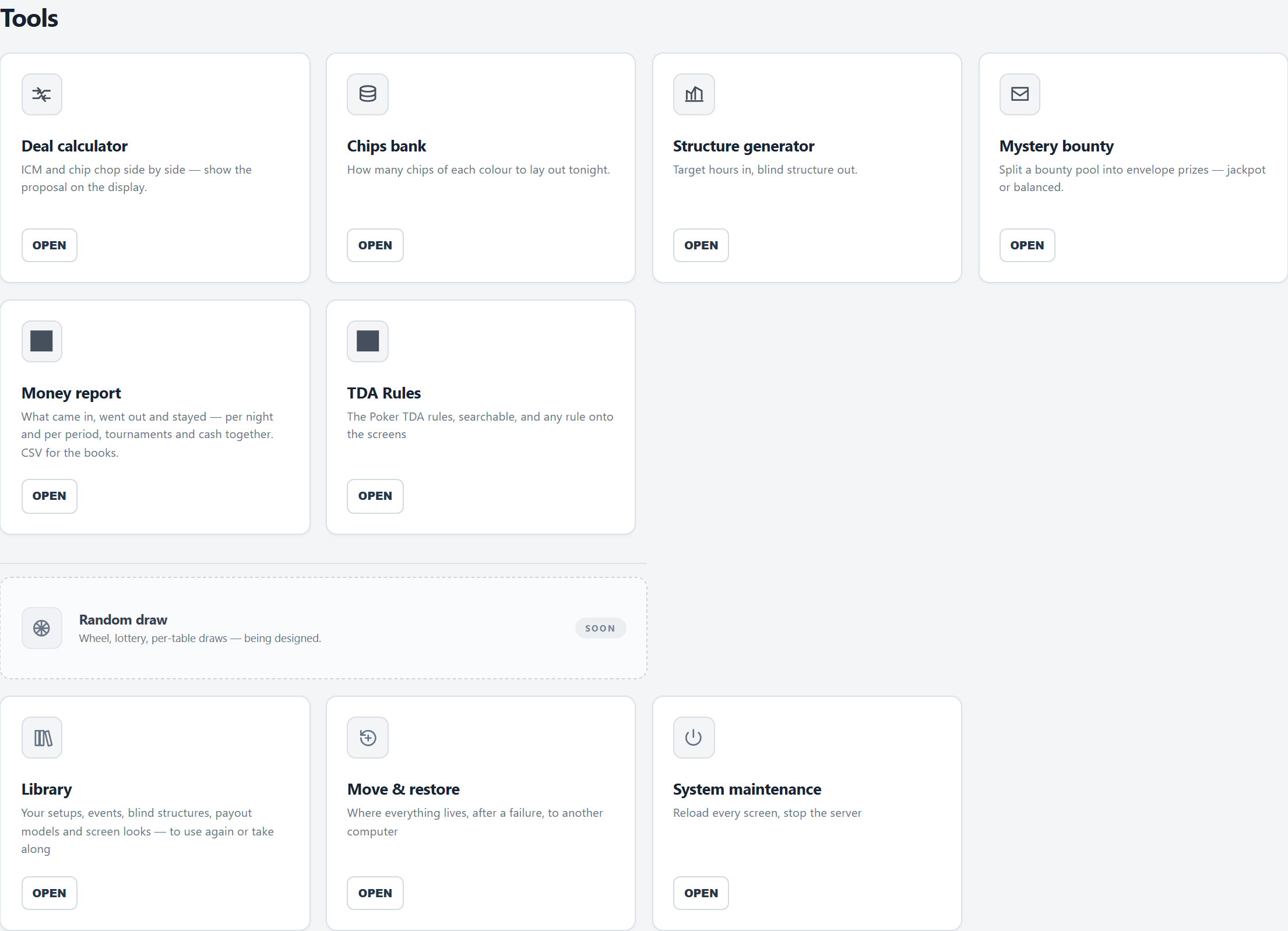
Deal calculator
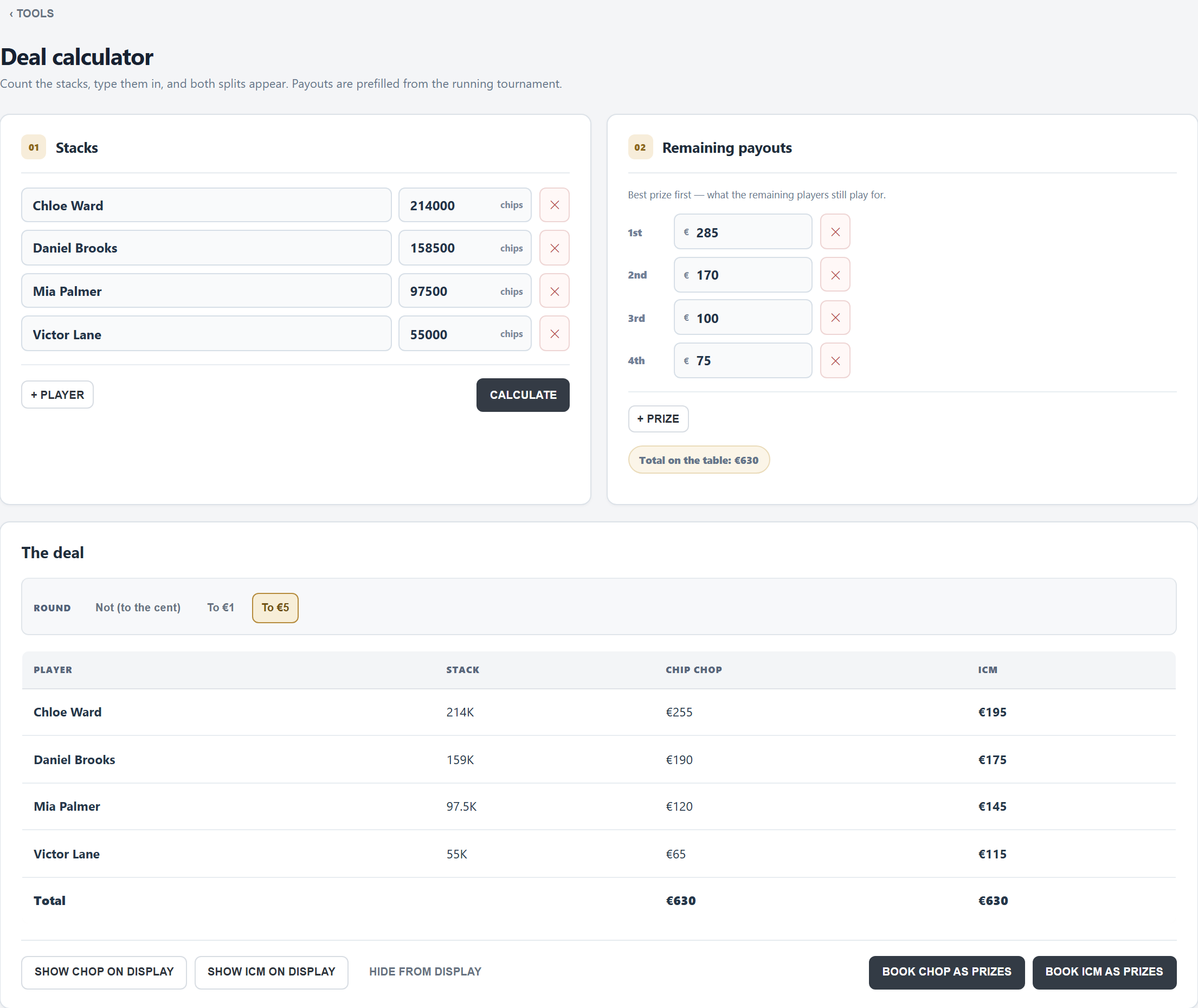
- Stacks: every player still in is listed (with the stack counted on the Tables tab, if there is one). Count and type the rest; + PLAYER adds a row.
- Remaining payouts: the prizes still to be paid, best first, filled in from tonight's prize list. Adjust them if the players agree on something else.
- CALCULATE: the chip chop (every player gets their share of the chips) and ICM (what each stack is worth in the remaining prizes) side by side. ICM is worked out for up to twelve players.
- Round: to the cent, to 1 or to 5. Both columns always add up to the pot; a remainder smaller than the step goes to the chip leader, and FeltTD says so.
- SHOW CHOP / SHOW ICM ON DISPLAY puts the proposal on the TV until HIDE FROM DISPLAY or F4.
- Agreed? BOOK CHOP AS PRIZES or BOOK ICM AS PRIZES writes the deal as manual prizes on the Prizes tab: the largest amount on 1st place and so on down; the places below the deal keep their amounts. Print the payout sheet from there.
Prizes in FeltTD belong to finishing places. When the players stop with a deal, finish the tournament in the order that matches the amounts (the biggest deal amount wins); when they play on for the rest, the places follow by themselves.
Chips bank
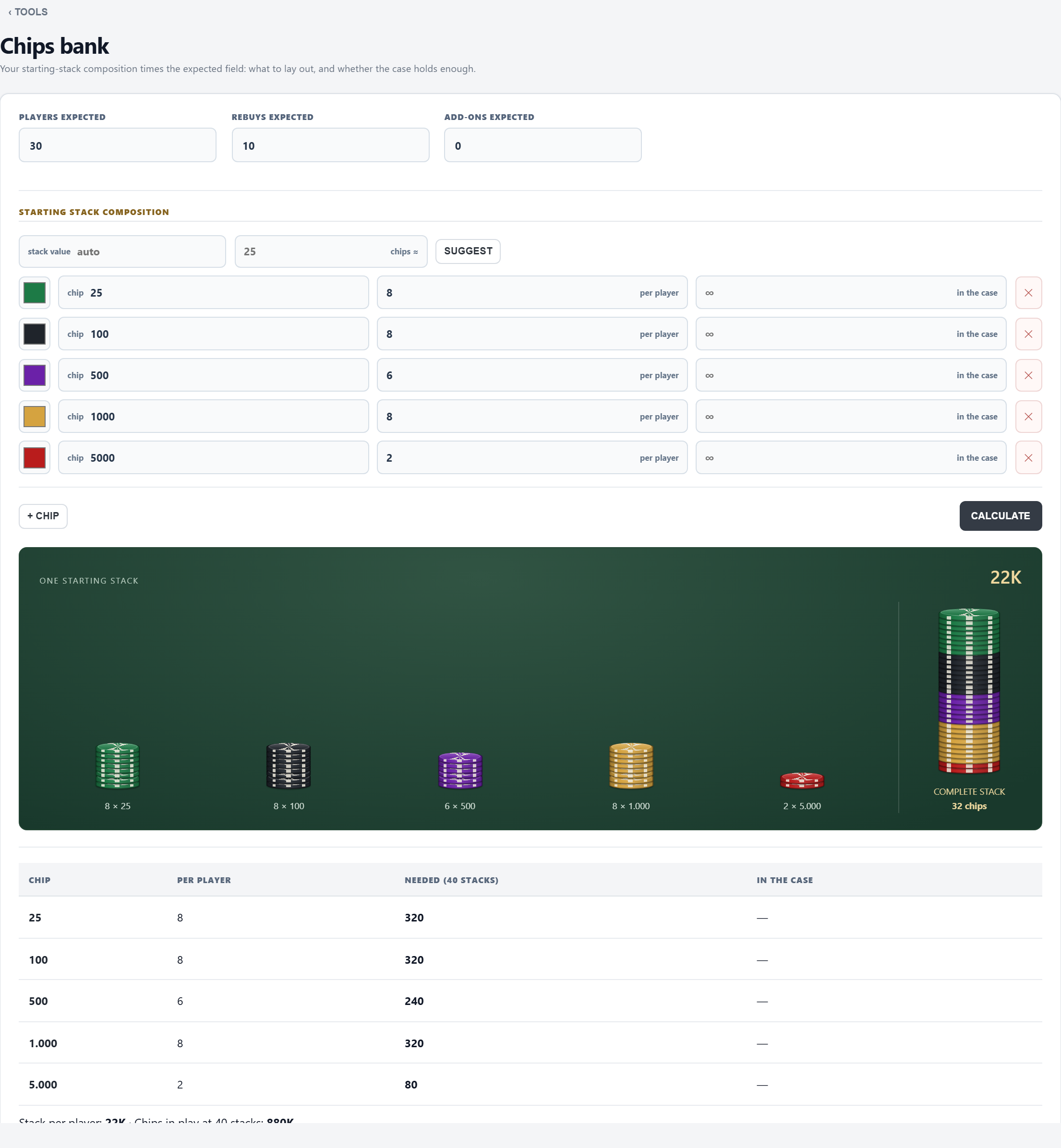
- The players, rebuys and add-ons you expect (each counts as one starting stack).
- Starting stack composition: per chip its value, how many per player and how many are in the case (empty = not checked). The drawing on the right is one starting stack as it lands on the felt.
- SUGGEST builds a composition for a stack value from your chip values.
- CALCULATE: per chip how many you need, against what is in the case: OK or SHORT. Your composition is remembered on this device.
Structure generator
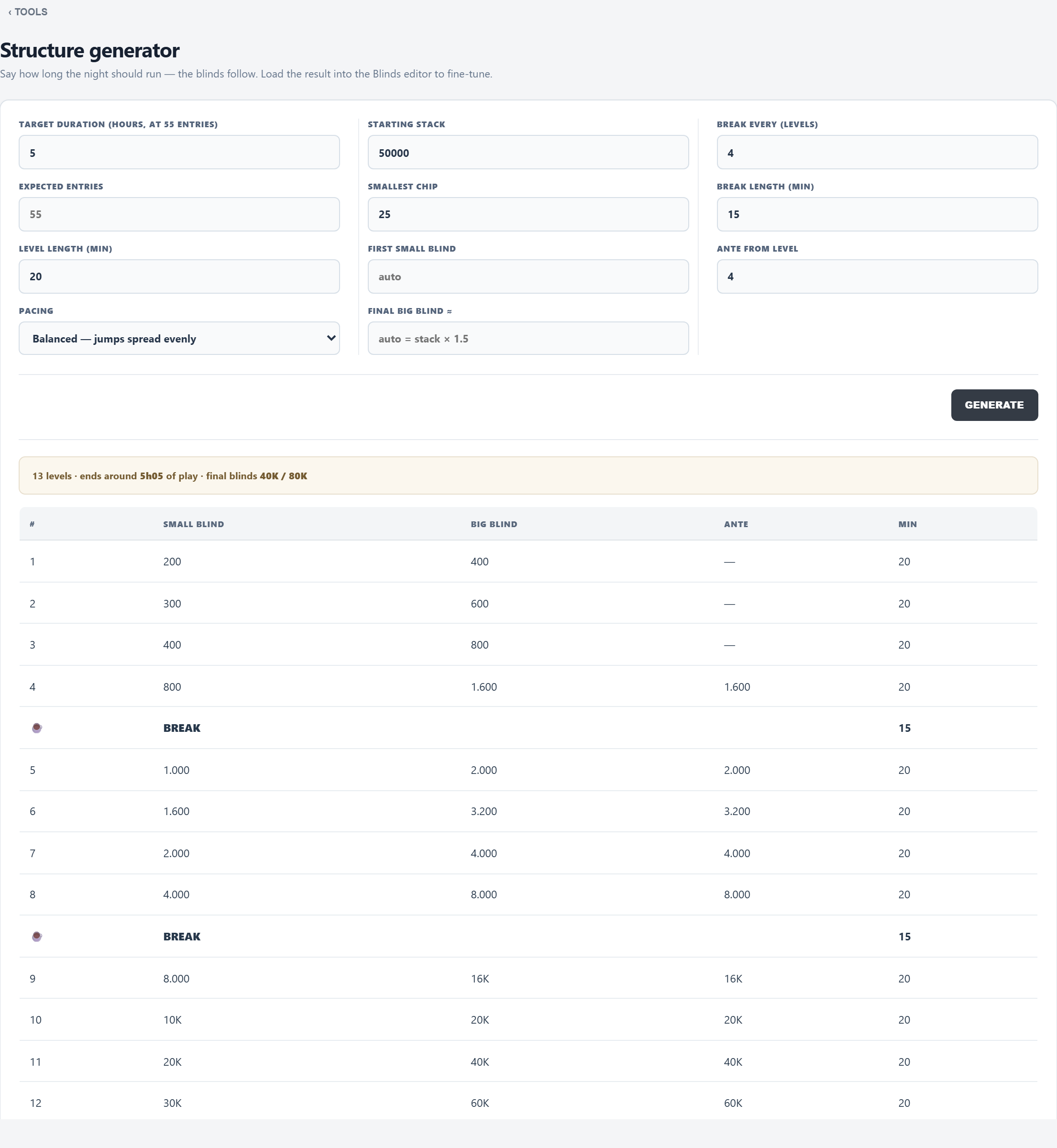
- Target duration (at 55 entries) and Expected entries: more players play longer (+15 minutes per 10 above 55, −15 per 15 below).
- Level length, Starting stack, Smallest chip; optionally the First small blind (empty: a deep start of 1/100 of the stack as big blind) and the Final big blind (empty: about 1.5 × the stack).
- Break every so many levels, of so many minutes (0 = no breaks); Ante from level (a big blind ante; 0 = no antes).
- Pacing: Balanced, Hard start (big jumps early) or Hard finish (big jumps late).
- GENERATE shows the levels and when the night ends. OPEN IN BLINDS EDITOR takes them to the Blinds tab (tonight changes only with Apply); SAVE AS TEMPLATE keeps them in the library.
Mystery bounty
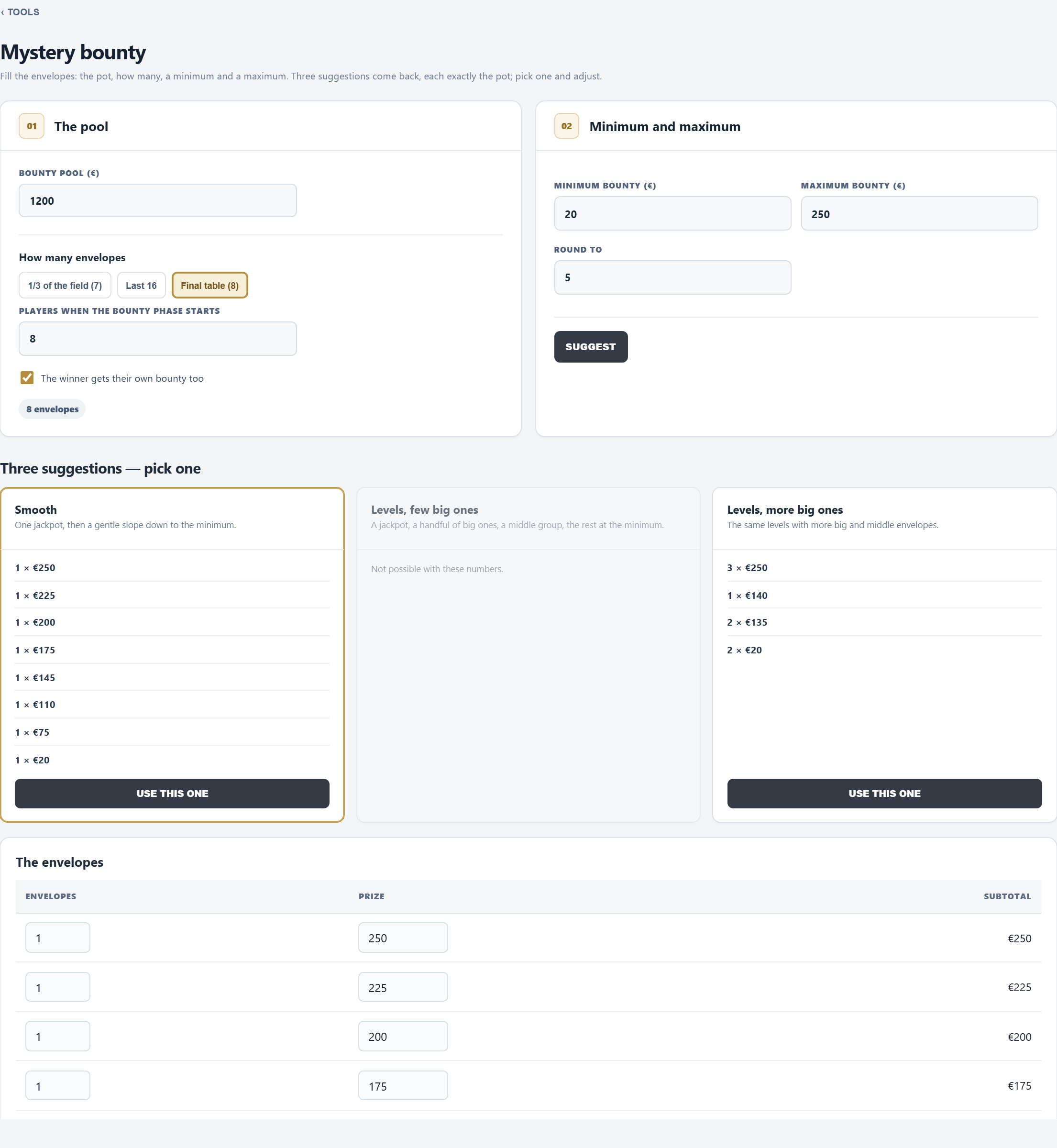
- Bounty pool: tonight's bounty money (filled in when the tournament has a bounty).
- How many envelopes: 1/3 of the field, the Last two tables, the Final table, or any number of players; tick whether the winner gets their own envelope too.
- Minimum and Maximum bounty, and the step to round to.
- SUGGEST: Smooth (one jackpot, then a gentle slope), Levels, few big ones and Levels, more big ones. Each adds up to the pool exactly, or says what stays over. USE THIS ONE, then adjust the envelopes by hand if you like.
- SHOW ON DISPLAY puts the envelopes on the TV (up to twelve lines).
Nothing is booked: the envelopes are filled by hand, and their money stays outside the prize pool.
Money report
The books of a period, tournaments and cash together, with CSV for the accountant: see Summary › Money report.
TDA Rules
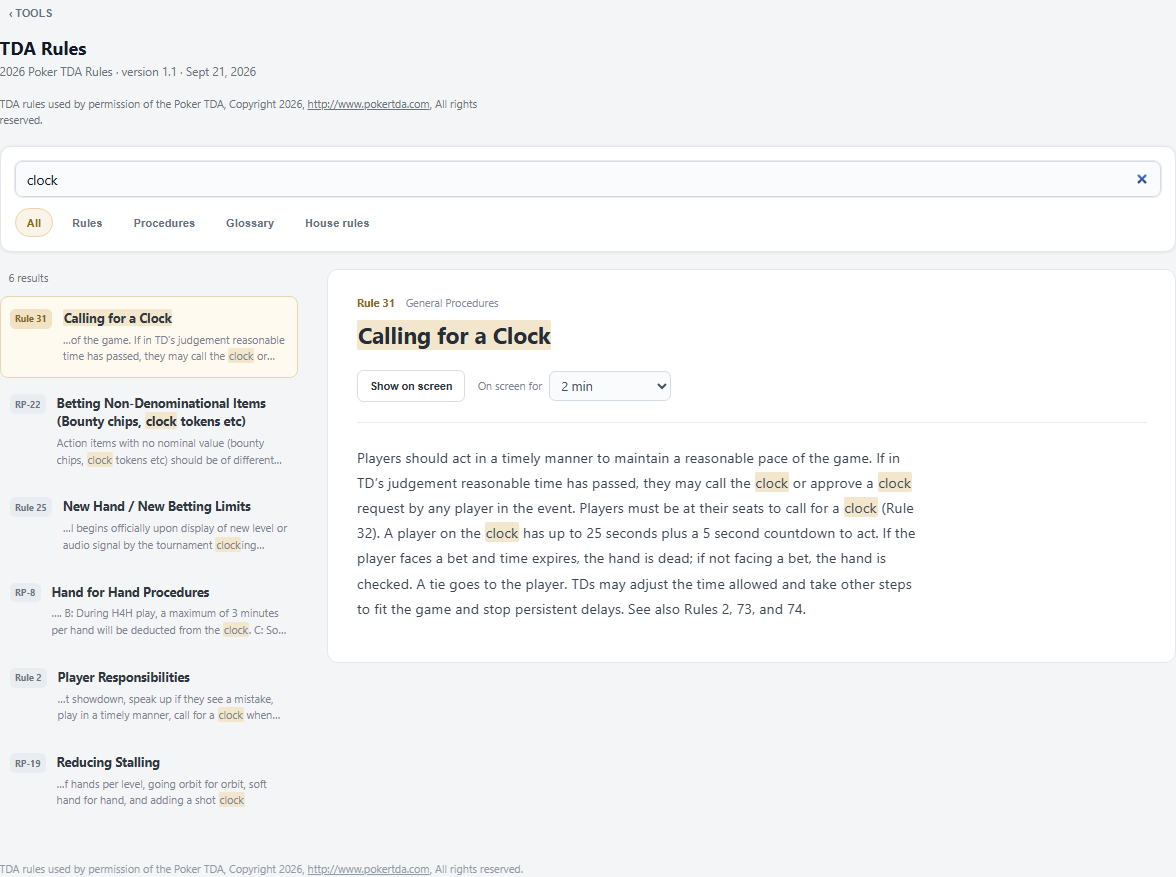
- The complete 2026 Poker TDA Rules (version 1.1): 74 rules, 29 recommended procedures and the glossary, with the TDA's examples.
- Search by number (
31,rp 8), by word, or the way players say it at the table:chopfinds dealmaking,phonethe rule on electronic devices,tankthe clock. - Filter on Rules, Procedures, Glossary or House rules. Choose a result to read it alongside the list (on a phone, use Back to results to return). Switch between Short text and Full text; expand the examples when needed.
- Show on screen puts a rule on the room's screens for 30 seconds, 1, 2 or 5 minutes, or until Take off. Also from a floor phone (☰ › TDA rules).
- House rules: + House rule adds the club's own rule (a title and a text), found by the same search and shown the same way. Made and changed on the tournament PC.
Library
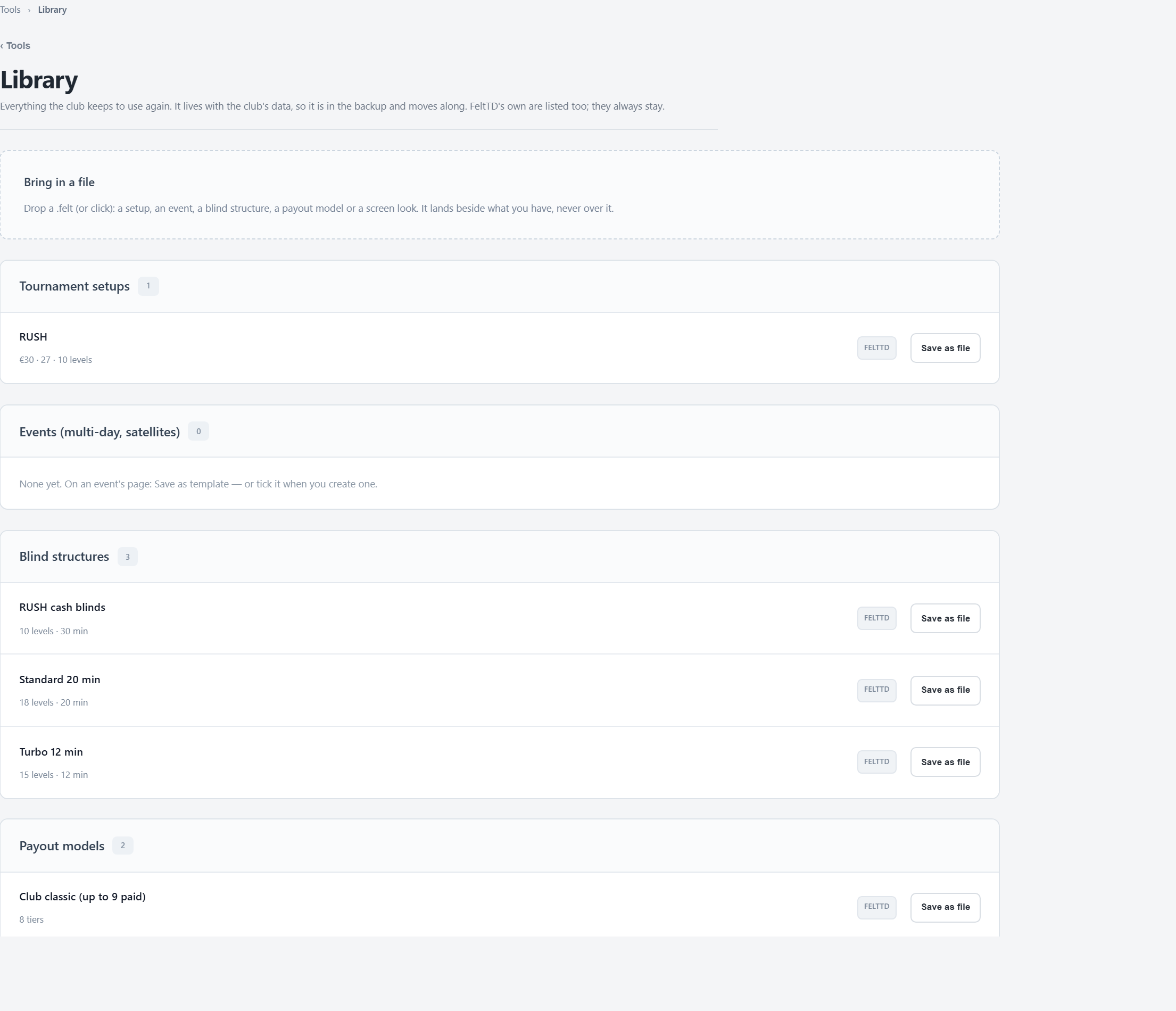
- Tournament setups, Events (multi-day, satellites), Blind structures, Payout models and Screen looks: your own first, then the ones that come with FeltTD (marked FeltTD, they always stay).
- Save as file gives a .felt file to keep or to take to another club. A setup carries its blinds and payouts; a screen look its pictures.
- Bring in a file: drop one or more .felt files. They land beside what you have, never over it; one that is already there is said so.
- Put on the screen (a screen look) changes every screen at once. Delete removes one of your own; whatever was made from it stays.
The library is in the backup, so it moves with the club. Files come in and go out on the tournament PC.
Move & restore
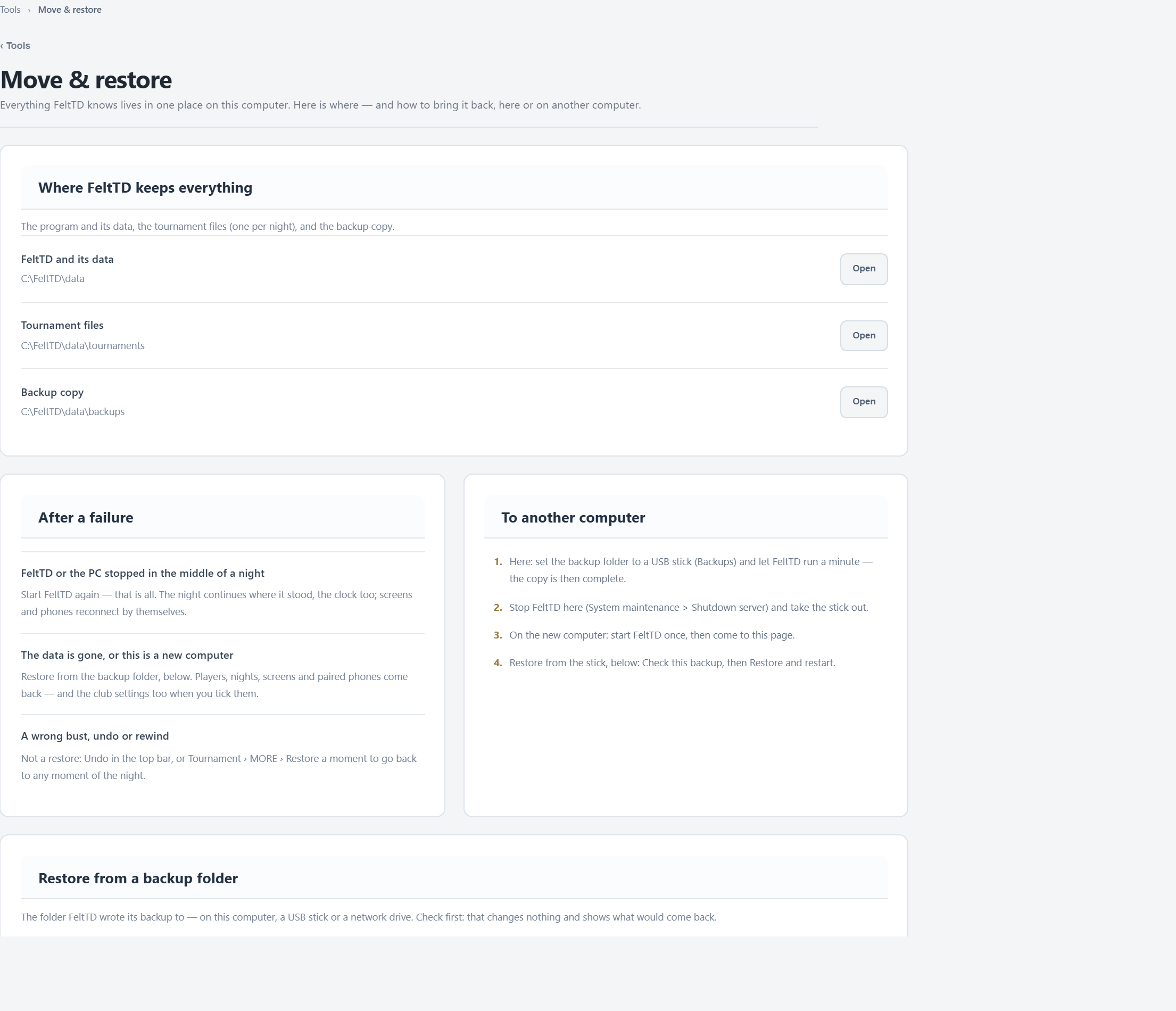
- Where FeltTD keeps everything: the program and its data, the tournament files and the backup copy, each with Open.
- After a failure:
- FeltTD or the PC stopped in the middle of a night: start FeltTD again. The night continues where it stood.
- The data is gone, or this is a new computer: restore from the backup folder.
- A wrong bust or undo: not a restore. Undo in the top bar, or Tournament › MORE › Restore a moment.
- To another computer: set the backup folder to a USB stick and let FeltTD run a minute (the copy is then complete, closed nights included); stop FeltTD; start FeltTD once on the new computer; restore from the stick.
- Restore from a backup folder: choose the folder (BROWSE FOLDER…), tick Also the club settings if you want those back too, and Check this backup: it changes nothing and lists what would come back, tournaments by name. Then Restore and restart.
Do a restore between nights. Every file it replaces is put aside in a restore-aside folder, never deleted, and the backup folder itself is never changed. The sound and video library is not in the backup: copy that folder by hand.
System maintenance
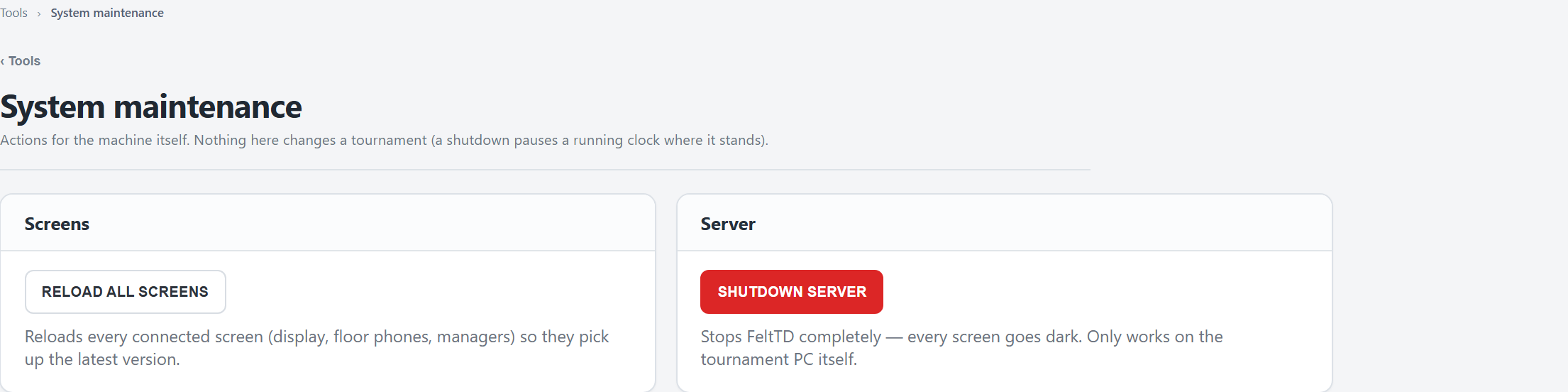
- RELOAD ALL SCREENS: every connected screen, phone and manager loads its page again (this one too). Handy after an update, or when a screen looks wrong.
- SHUTDOWN SERVER: the same as Close Tournament Director at the bottom of the menu. It shows what is still open, pauses a running clock where it stands, saves the tournament files and stops FeltTD. Only on the tournament PC.