Tables
The room as it sits: every table and seat, who waits for a seat, and the chip counts. Move players, balance the tables and break a table here.
The tables
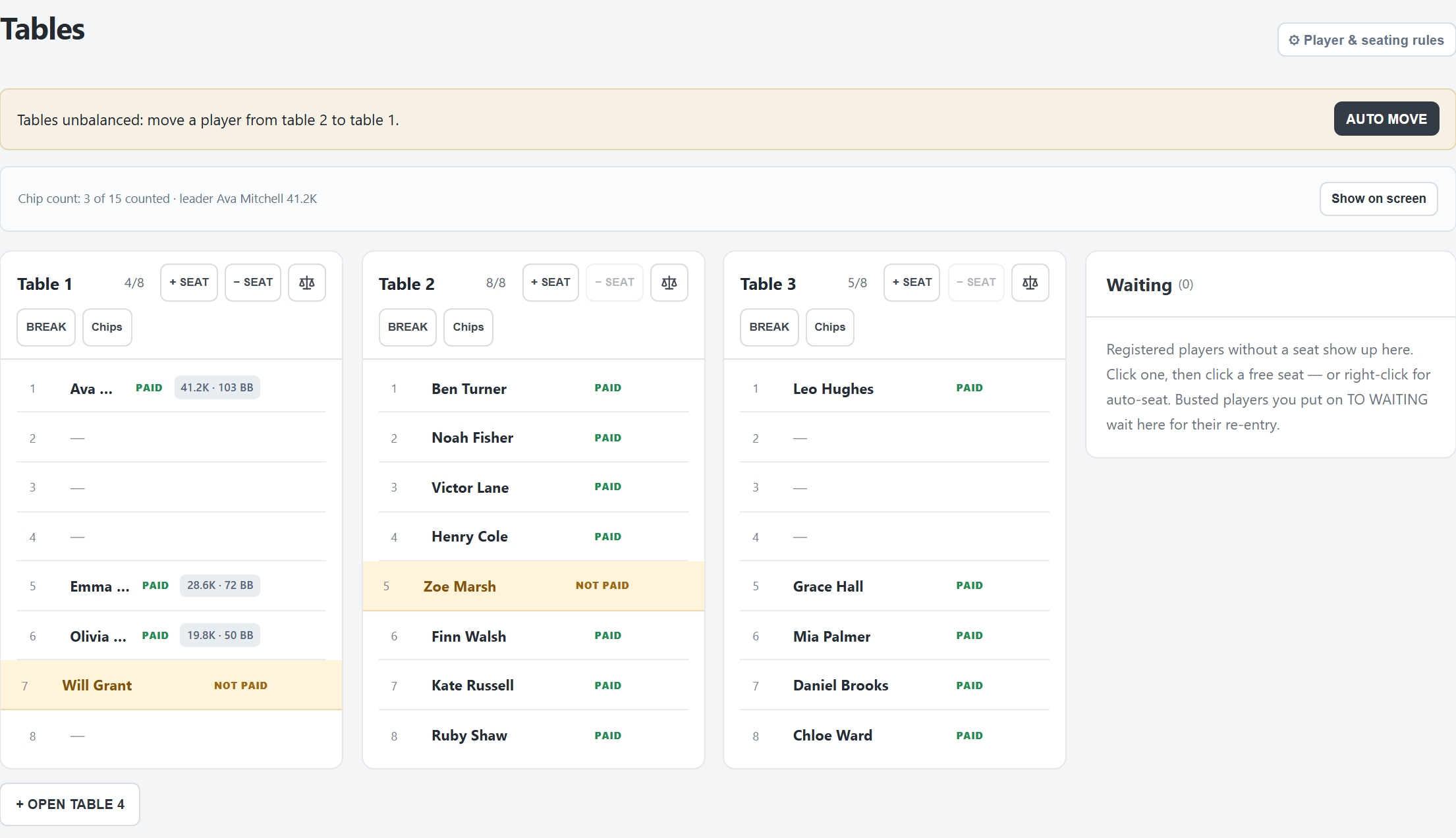
- Every open table, with its seats. A seat shows the player, PAID or NOT PAID (amber), and the chips with the stack in big blinds once counted. 🔒 means locked in the seat.
- Waiting: players registered without a seat, with BUY-IN and SEAT. While rebuys are open, busted players you sent to waiting stand here with RE-ENTRY.
- + OPEN TABLE n opens one more table; a closed empty table can be REOPENed.
- ⚙ Player & seating rules: players who need a certain seat, and players to keep apart (set on the tournament PC).
The number of tables and seats per table to start with is set on the Tournament tab.
The yellow line
While the tournament runs, FeltTD watches the tables:
- Tables unbalanced: move a player from table X to table Y. AUTO MOVE moves one player at once, picked at random (locked players are skipped, seating rules respected).
- Table n can be broken. Everyone at it fits at the other tables. BREAK TABLE n opens the break planner.
“Uneven” means the fullest table has two or more players more than the emptiest one.
Moving a player
- Click a player, then a free seat (dashed). Click the player again to cancel.
- Or drag the player onto a free seat. Drag onto Waiting to unseat them.
- From the waiting list: click or drag the player onto a seat, or press SEAT for a seat drawn by FeltTD.
- Right-click a player (or ⋯) for the same actions menu as on the Players tab.
- Right-click an empty seat to Block seat: no automatic seating uses it.
A table's buttons
- The name: click to rename (empty goes back to “Table n”).
- + SEAT / − SEAT: from 2 up to 12 seats. The last seat can only go when it is empty.
- Fewer tables or seats per table on the Tournament tab are refused while players sit there.
- ⚖ Balance tables: the balance window (below).
- BREAK: the break planner for this table.
- Chips: count this table.
- Right-click the table's header for the same, plus Close table for an empty table.
Balancing
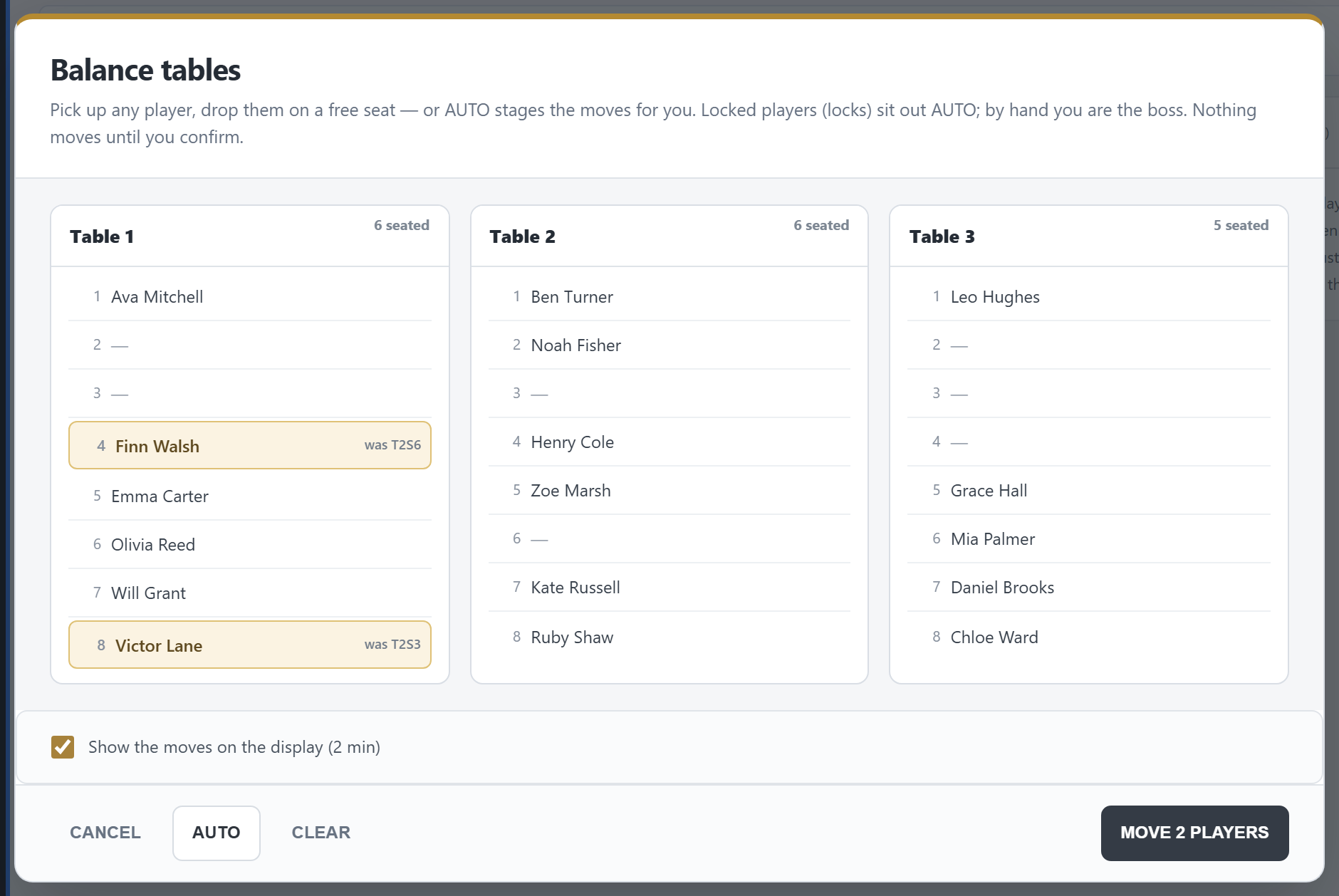
- Pick up any player and drop them on a free seat. Drop them back on their own seat to cancel.
- AUTO stages the moves for you until the tables are even. Locked players sit out AUTO; by hand you decide.
- Show the moves on the display (2 min) is on by default.
- Nothing moves until MOVE n PLAYERS.
Breaking a table
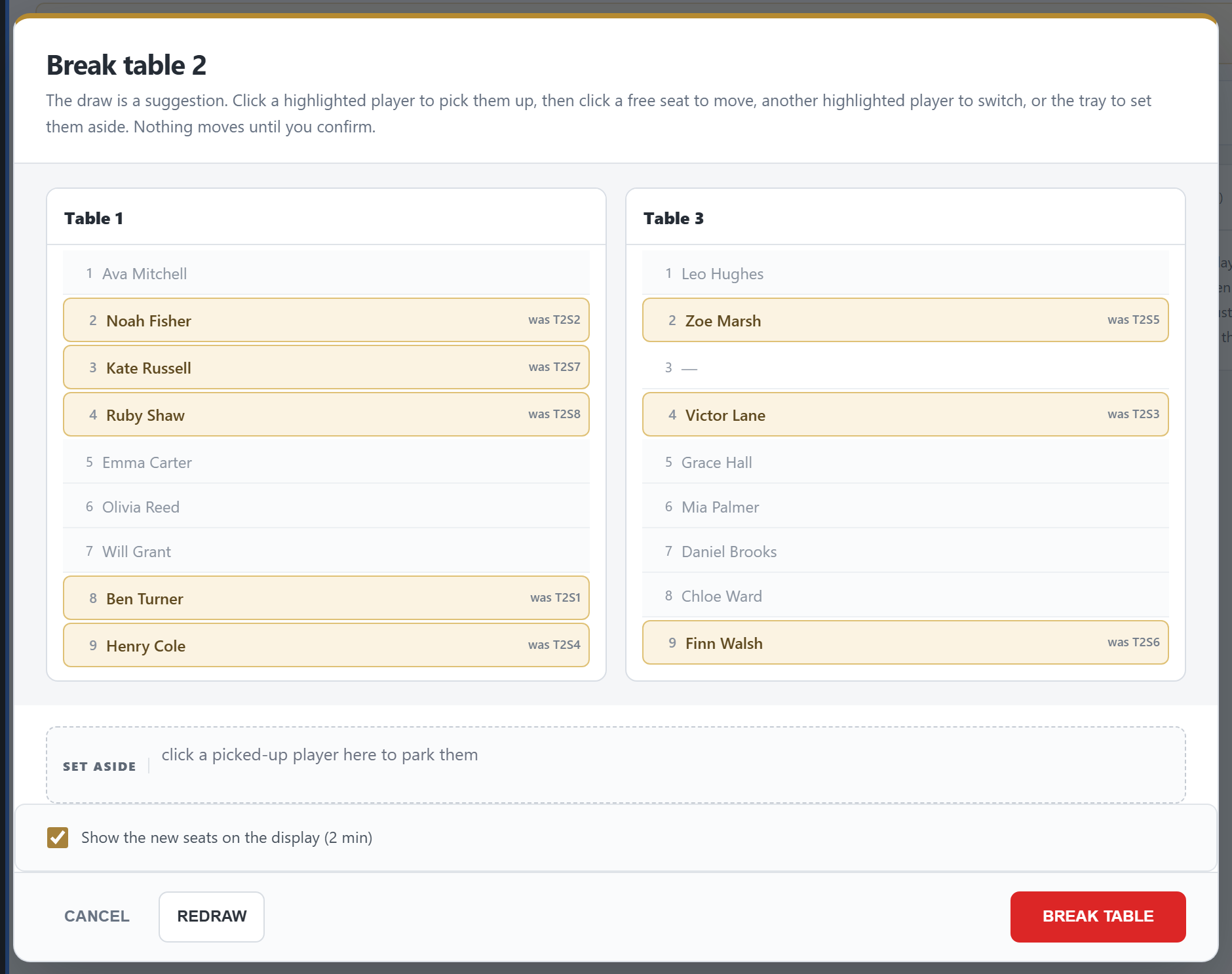
- The draw is a suggestion. Click a highlighted player to pick them up, then a free seat to move them, another highlighted player to swap the two, or SET ASIDE to park them.
- REDRAW draws again (your changes go).
- Amber ⚠: a seating rule is not met. A warning, never a block.
- BREAK TABLE closes the table and seats everyone. With Show the new seats on the display (2 min) the TV shows who goes where while the clock keeps running.
Missed it on the TV? BREAK / MOVES in the top bar shows the last slide again for two minutes; F4 clears it.
Chip counts
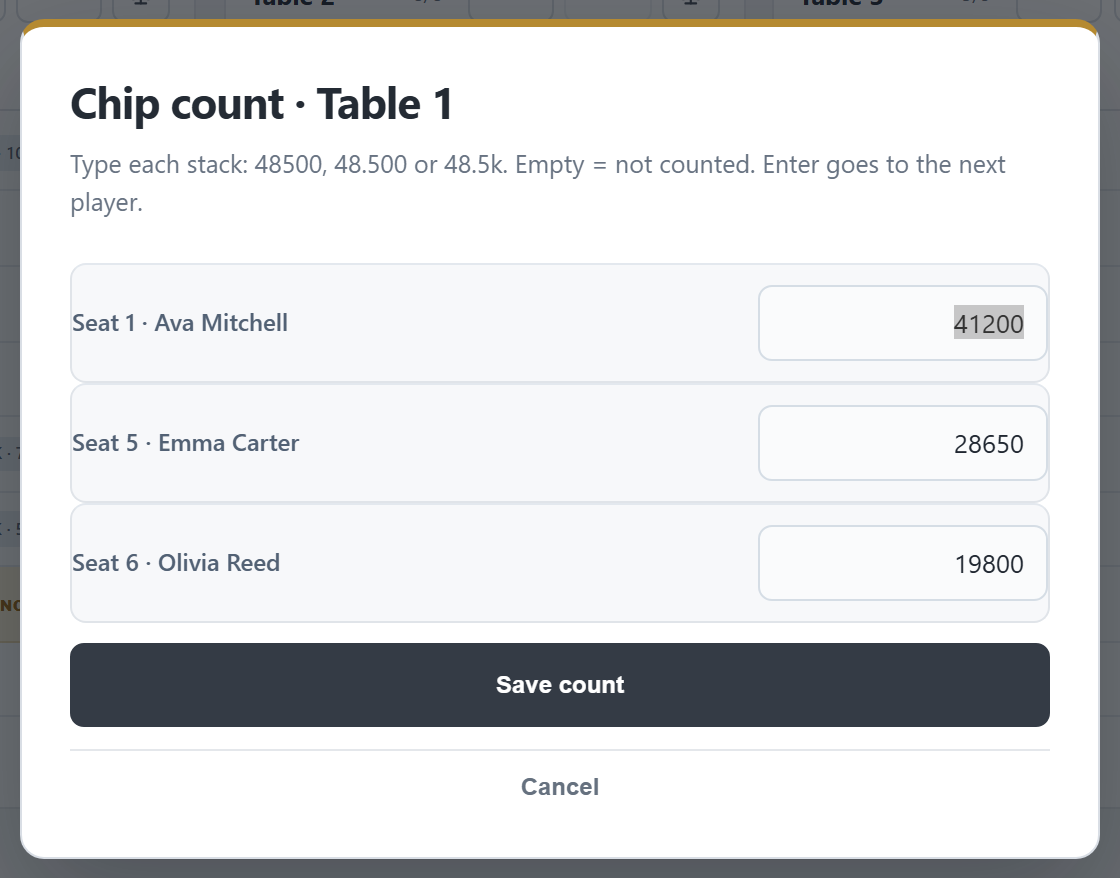
- Chips on a table: type each stack. 48500, 48.500 and 48.5k all work; 2m is two million. Empty means not counted. Enter goes to the next field.
- The line above the tables: how many are counted and who leads. Once everyone is counted, it says whether the total matches the chips sold, or by how much it is off (red).
- Show on screen puts tonight's chip counts on the TV.
- A rebuy or add-on clears that player's count: count them again.
Hand-for-hand
On the bubble, ✋ H4H appears in the top bar. Click it: the clock stops and every table plays one hand. When every table has finished the hand, click again for the next hand; right-click for Next hand or End hand-for-hand. It ends by itself when the bubble bursts, and the clock runs on. The TV shows HAND FOR HAND with the hand number.
On a floor phone
Tap a player, then a free seat, to move them. The table's ⋯ (or a long press on its header) has Count chips, BREAK, Balance the tables, one seat more or less and close an empty table. Breaking and balancing from the phone happen at once, without the planner and without a TV slide; use the top bar's BREAK / MOVES on the manager to show it. Locking and blocking seats, renaming tables and hand-for-hand are on the manager.
Everything on this tab works with floor rights.
Good to know
- A locked player stays put when balancing, but does move when their table is broken.
- Players who registered but did not pay count for the balance; they are left out of the chip count.
- Undoing the moves of a table break puts the players back and opens their table again.
- Esc or a click outside a planner closes it, and what you staged there is gone.