Prizes
How tonight's prize pool is shared. Automatic prizes follow the field as it grows; manual prizes are for a deal, a paid bubble or fixed amounts.
The prize pool
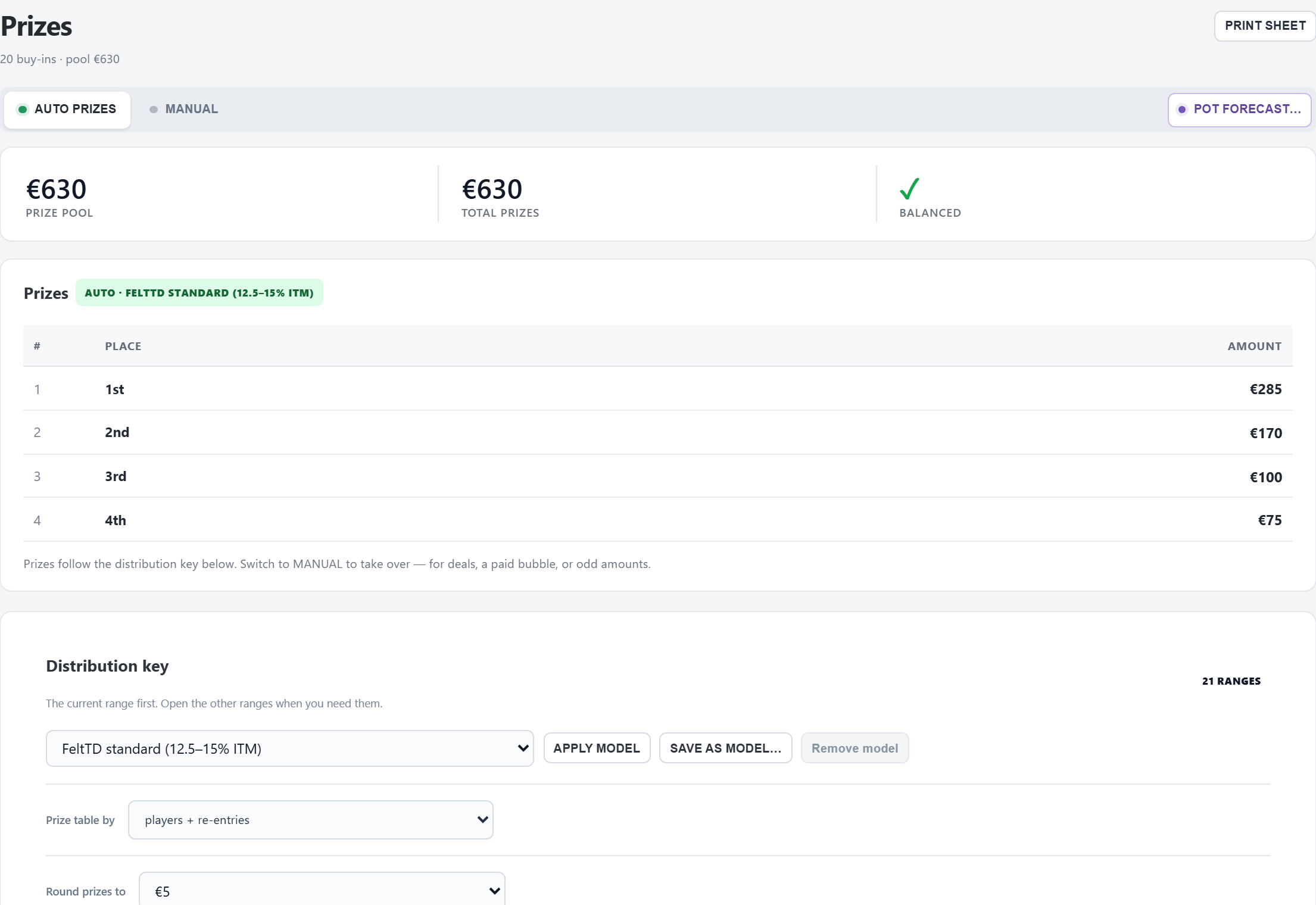
The pool is what reaches the pot from every paid buy-in, rebuy and add-on, plus the House contribution (Tournament › Advanced adjustments). The rake (fee) never goes in the pool, and neither do bounties. Players who registered but did not pay don't count yet.
The card under the buttons compares the pool with the prizes: ✓ Balanced, Left over (amber) or Too much planned (red).
Automatic prizes
With AUTO PRIZES (the default) the prizes come from a payout model, the distribution key: how many places are paid and what share each gets, for every size of field. Every buy-in, rebuy or add-on changes the pool, and when the field grows into the next range, more places are paid. The prizes always add up to the pool to the cent.
- Prizes round to the step under Round prizes to (in the distribution key: the cent, 1, 2, 5, 10, 20, 25, 50 or 100; 5 by default). When that step is bigger than the smallest prize, FeltTD uses a smaller step for tonight and says so under the list (“Rounded to … here”).
- Places from 4th down with the same amount are shown together (“10–12 … each”).
- Once players finish in the money, their names appear beside their place.
The distribution key
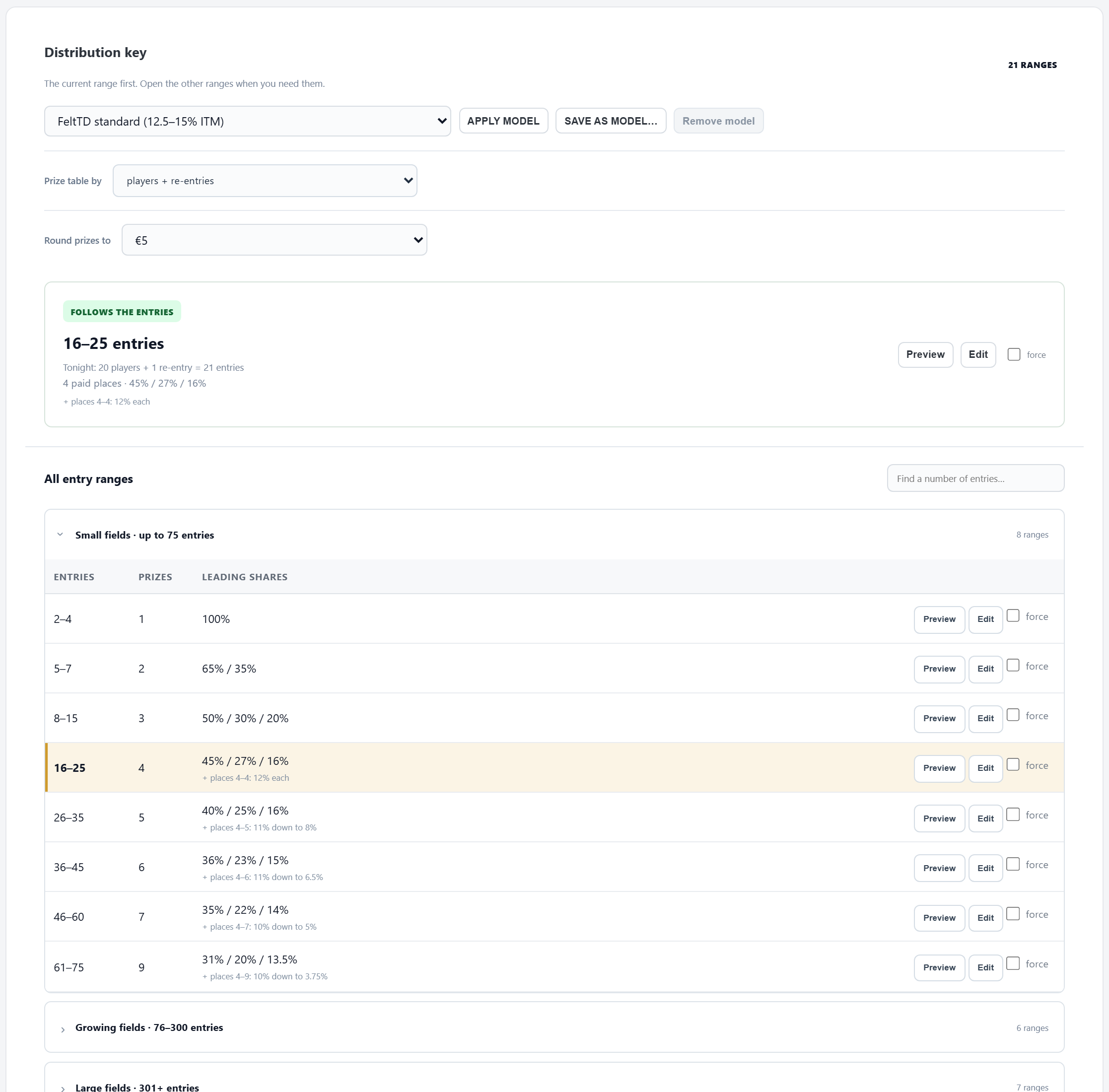
- The model: pick one and APPLY MODEL (at once). FeltTD standard (12.5–15% ITM), the model FeltTD comes with, pays 12.5 to 15% of the field. SAVE AS MODEL… keeps tonight's key under a name; Remove model deletes one of your own.
- Round prizes to: the step every prize is rounded to (see above), kept with the tournament and with a template made from it.
- Prize table by: what counts as the size of the field: players, players + re-entries (the default for new tournaments) or all buy-ins. Never more places are paid than there are players.
- Tonight's range first: e.g. “16–25 entries”, how many are counted tonight, the paid places and their shares. Preview shows the amounts, Edit opens the editor, force keeps this range whatever the count.
- All entry ranges, grouped by size; search for a number of players to find its range. Right-click a range to edit, add or delete it.
Editing a model
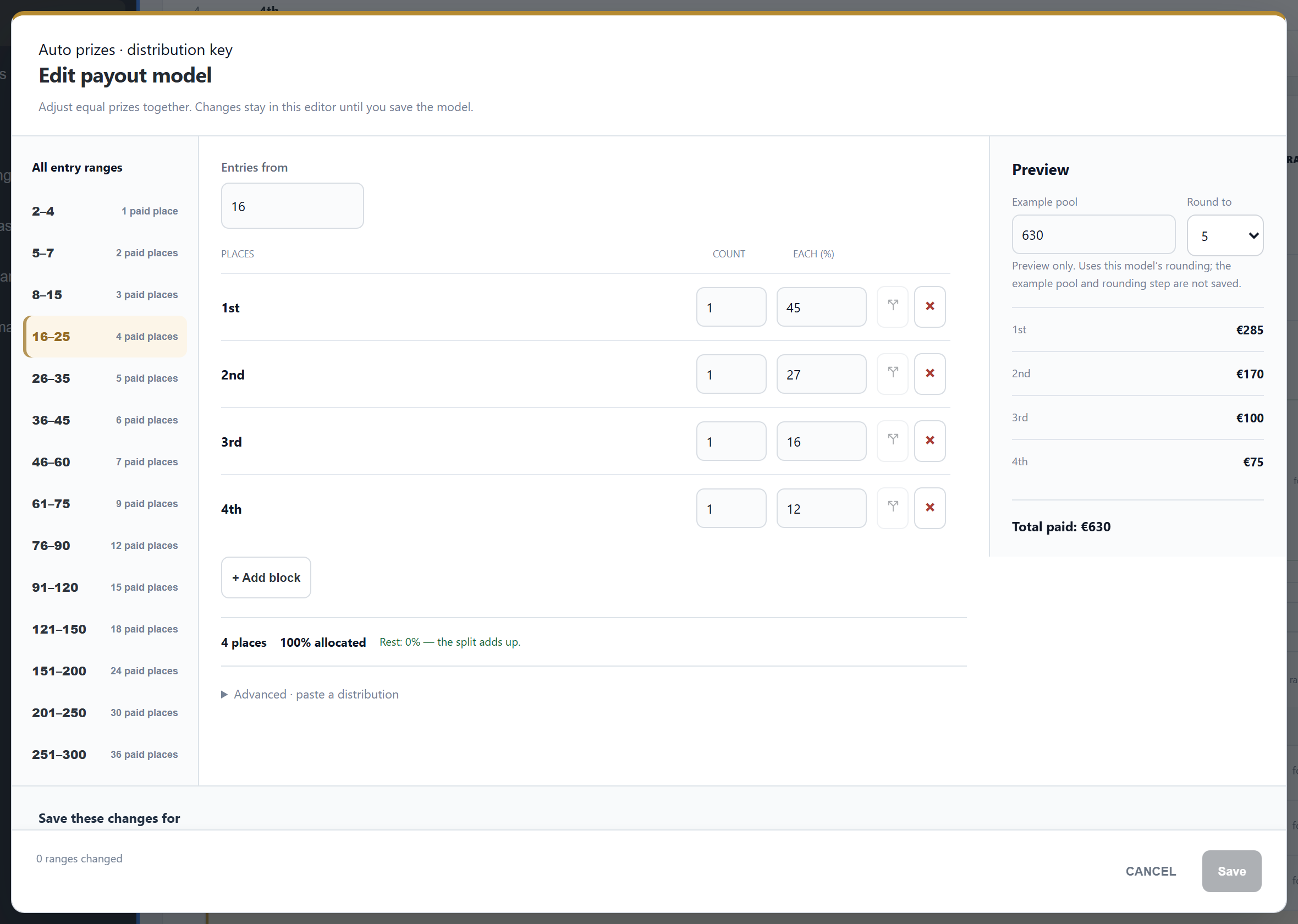
- Left, the ranges; in the middle, the range you edit: from how many entries, then blocks of places (Count places at Each (%)). + Add block, split a block, remove one.
- The line under the blocks must say Rest: 0% — the split adds up., with shares going down from 1st, before you can save.
- Advanced · paste a distribution: paste a list like
40 / 26 / 3.04 ×3or two columns from a spreadsheet. - Preview (right) with an example pool and rounding: only to look, not saved.
- Save these changes for: this tournament only, this tournament and your model of that name, or this tournament and a new model.
Manual prizes
MANUAL takes the current prize list over as fixed amounts. Then right-click a prize:
- Edit prize…: an amount, or a % of the pool. A % prize follows the pool; a fixed amount stays put.
- Insert prize above / below, To fixed / To % of pool, Delete prize.
When fixed prizes no longer match the pool, every other tab shows a banner (“… of the pot is in no prize”, or “The prizes pay … more than the pot”) with OPEN PRIZES. AUTO PRIZES goes back to the key; the manual list is dropped.
Pot forecast
POT FORECAST… shows the prizes for a pool that is not there yet: the buy-ins, rebuys and add-ons you expect, or a fixed pool. Handy at the door (“what does first get if we hit 40?”). It is only for this window: the TV and the payout sheet always show the real pot. USE CURRENT POT starts from tonight's real pot. REAL POT ends the forecast.
Payout sheet
PRINT SHEET: the money of the night (buy-ins, rebuys, add-ons, house contribution, the pool, the fees collected) and the payouts with a signature line per place, marked FINAL or PROVISIONAL, with lines for the tournament director and the treasurer. Allow pop-ups for FeltTD if nothing appears.
A deal at the final table
Tools › Deal calculator shows a chip chop and ICM side by side from the stacks and the prizes still to be paid, and can put the proposal on the TV. Agreed? BOOK CHOP AS PRIZES or BOOK ICM AS PRIZES writes the deal as manual prizes.
Events, satellites, bounties
- A flight of a multi-day event pays nothing itself: its money goes to the event's Day 2, which pays the whole event.
- A satellite pays seats: as many tickets as the pool buys at the ticket value; what is left goes in cash to the next place if you chose so.
- Bounties are outside the prize pool; the tab shows them as a separate amount.
See Events.
Good to know
- The TV's PRIZES view shows the prizes with who was paid; the clock rotates the payouts once late registration and rebuys are closed. Untick Show payouts on display on the Tournament tab to keep them off the screens.
- From a floor phone, changing prizes and models needs the tournament code.