Events
Where every tournament begins: tonight's single tournament, a night planned for later, a championship over several days with flights, or a satellite that plays for tickets.
The overview
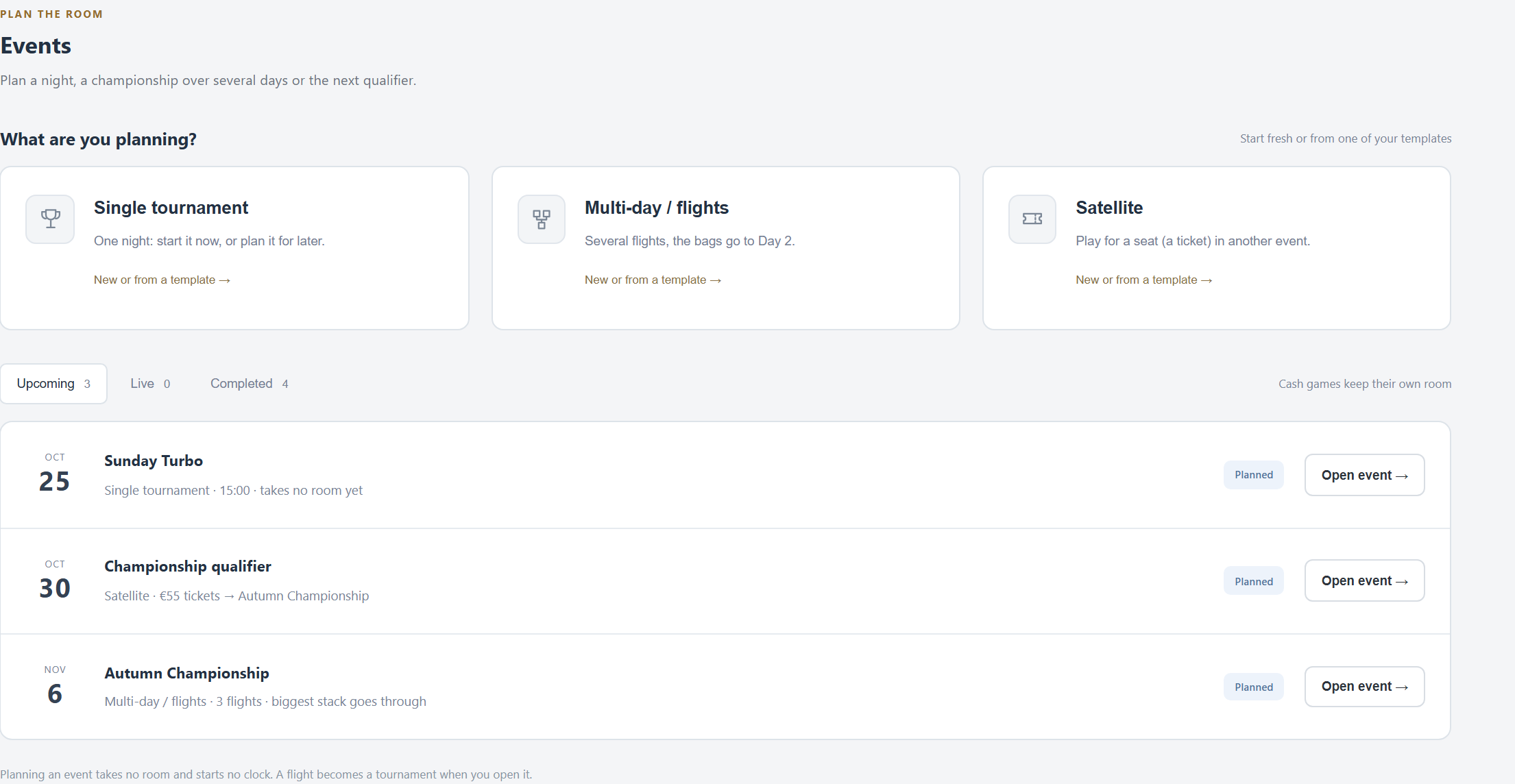
- Three ways in: Single tournament, Multi-day / flights and Satellite.
- Upcoming, Live and Completed (the last 60 days; older nights are in the Time machine). Ordinary tournaments show here too.
- Planning takes no room and starts no clock. A planned night becomes a tournament when you open it.
A single tournament
Also what New tournament on the Tournament tab opens. Three steps.
1 · Starting point
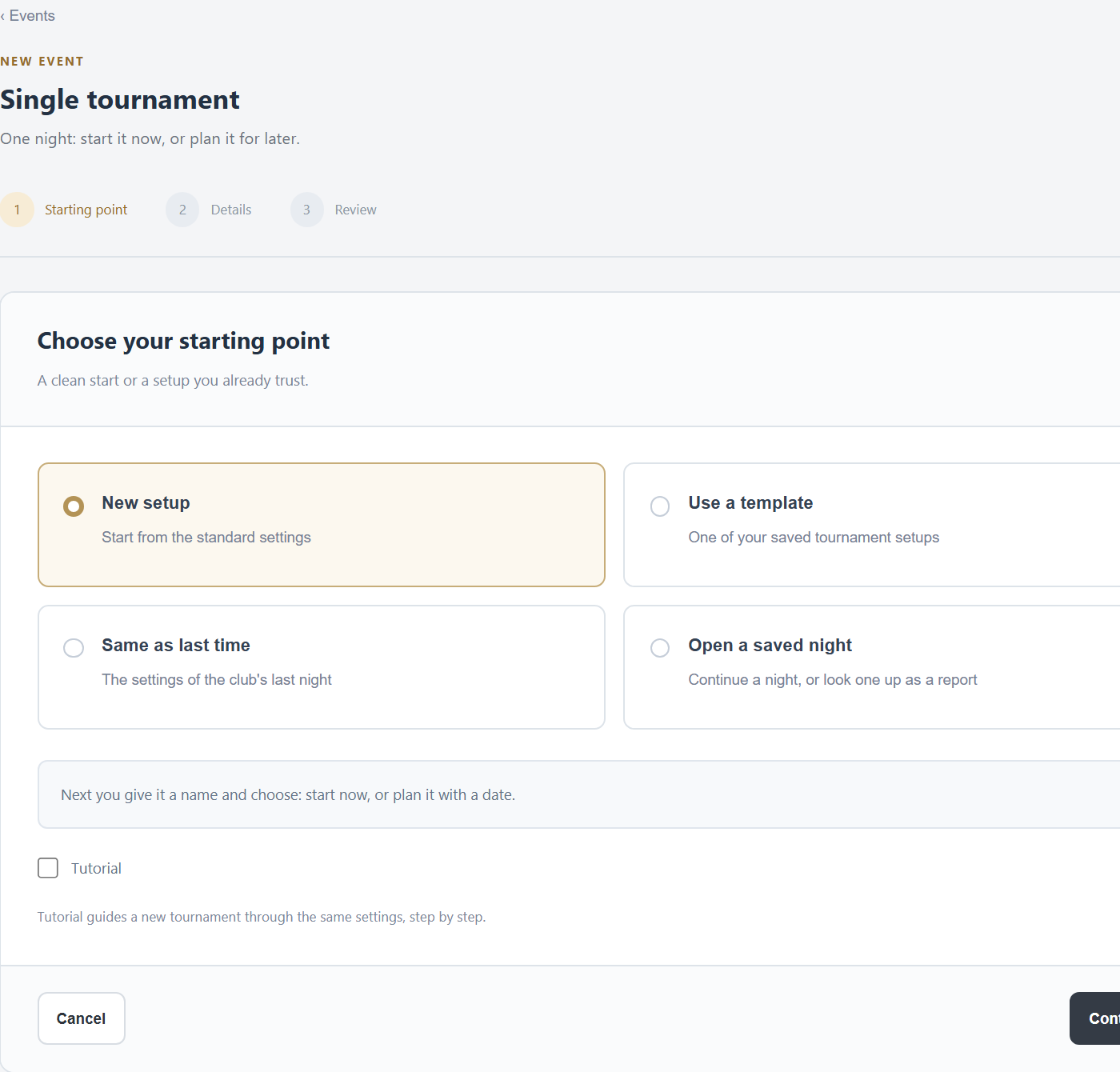
- New setup: the standard settings.
- Use a template: one of your saved tournament templates. The template itself stays as it is.
- Same as last time: the settings of the club's last night, with a new number in the name.
- Open a saved night: continue a night from a file, or look one up as a report.
- Tutorial: the new tournament walks you through its settings step by step.
2 · Details
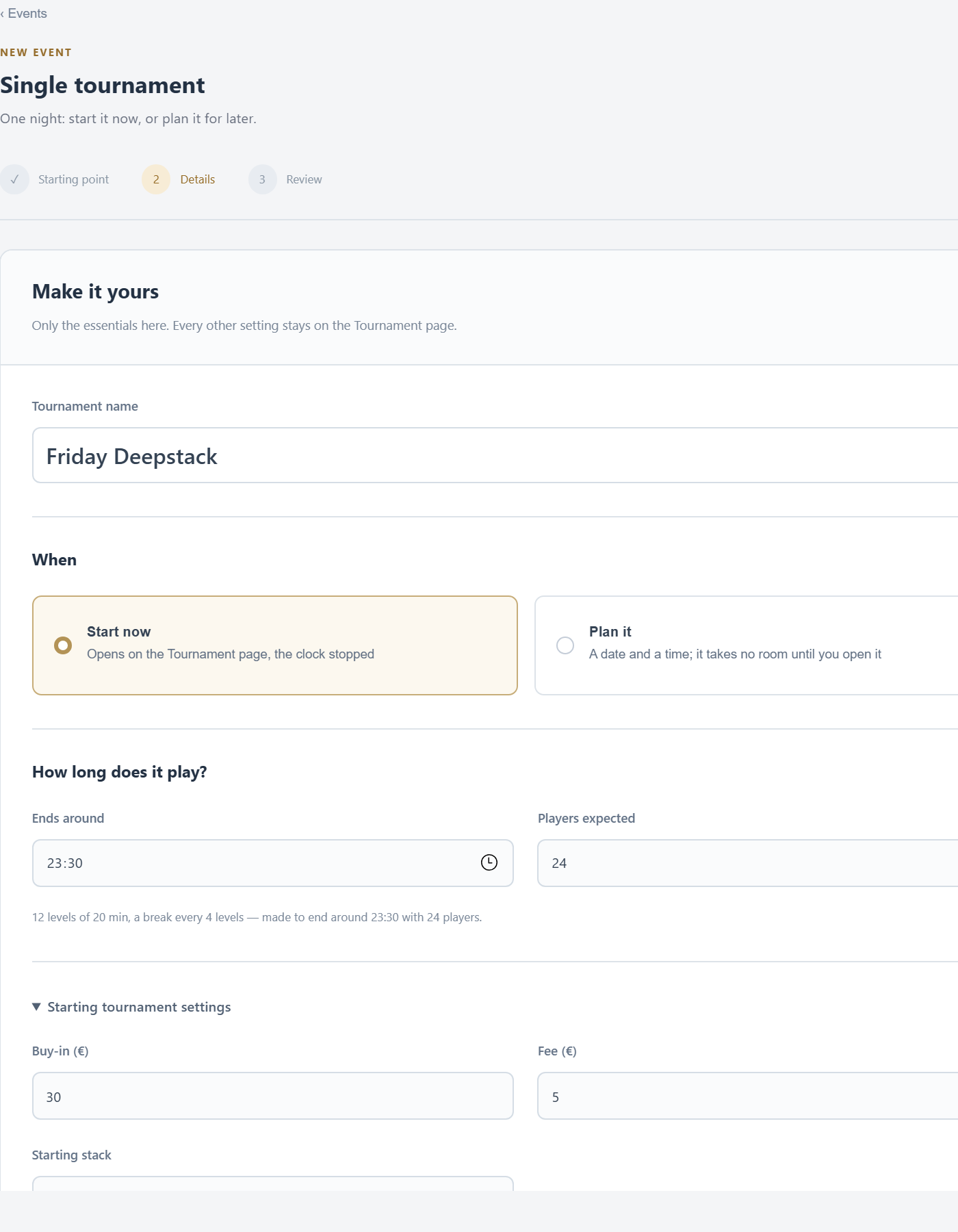
- Tournament name.
- Start now (it opens on the Tournament tab, the clock stopped) or Plan it with a date and time.
- Ends around and Players expected: FeltTD makes a blind structure that ends around that time, and says what it made (“12 levels of 20 min, a break every 4 levels…”). Leave them empty to keep the structure of your starting point.
- Starting tournament settings: buy-in, fee and starting stack. Everything else is on the Tournament tab.
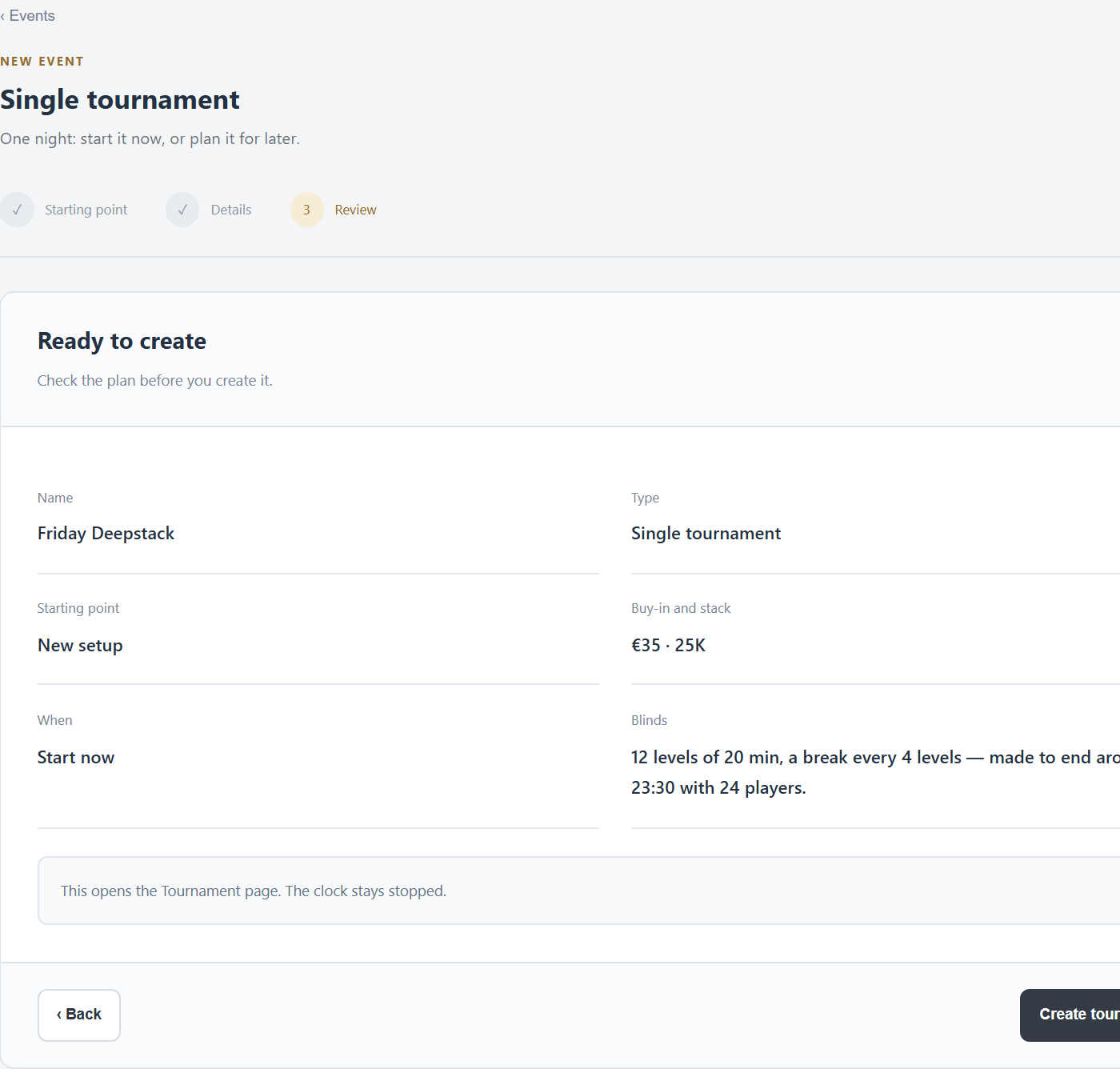
3 · Review
Multi-day and flights
Several starting flights (Day 1A, Day 1B…), the players who bag a stack go to Day 2, and the money of all flights goes into one prize pool.
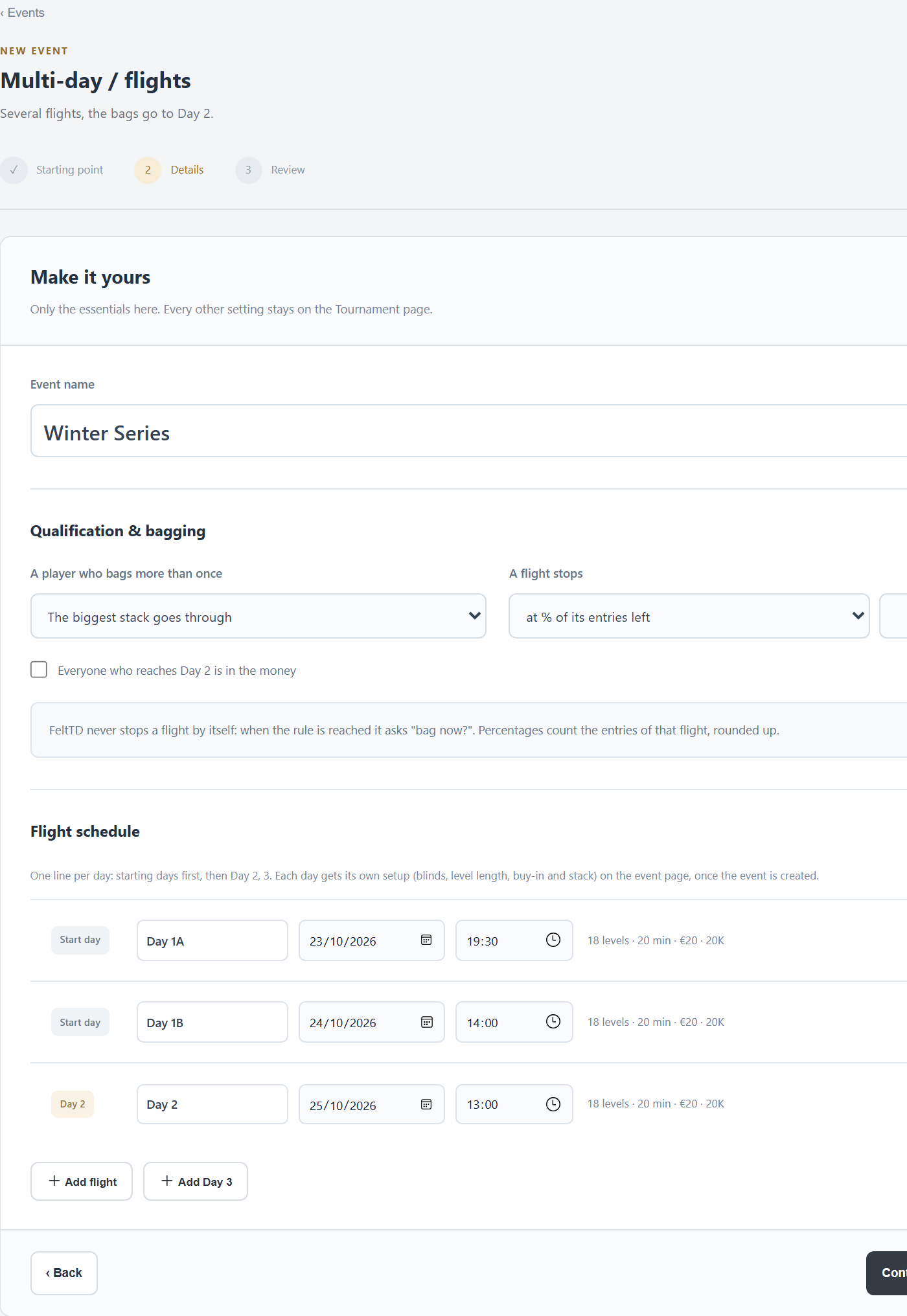
Qualification & bagging
- A player who bags more than once: The biggest stack goes through, The stacks are added up or Only the first bag counts.
- A flight stops: at a % of its entries left (rounded up), after a level, or when you decide. FeltTD never stops a flight by itself: when the rule is reached it asks “bag now?”.
- Everyone who reaches Day 2 is in the money: otherwise the payout model is used over the whole event.
Flight schedule
One line per day, with a name, date and time: the starting flights first, then Day 2, 3. Add flight and Add Day n add lines; ✕ removes one. Each day's own setup (blinds, buy-in, stack) is set after creating, on the event page.
Tick Also keep this event as a template on the last step to plan the same event again later.
The name and the rules of an event cannot be changed after it is created. Check them on the review step.
The event page
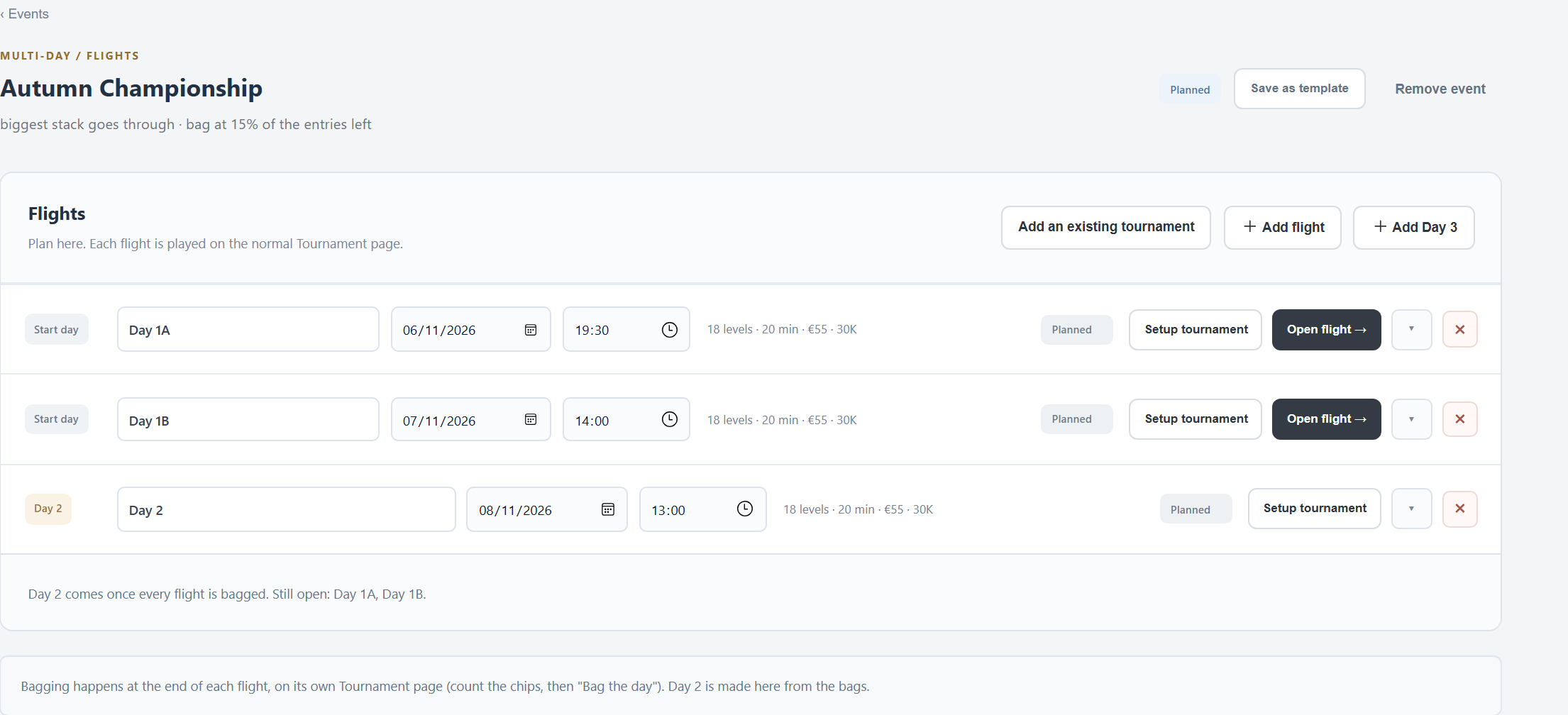
- Every line can be renamed and moved in date and time while it is planned.
- Setup tournament: that day's settings and blinds. Start from another day, a template or the club's defaults. For Day 2: the payout model of the whole event, the level it starts at, and whether new players can still buy in that day. Apply to other days… copies a setup.
- Open flight → makes the flight a tournament, named “event · flight”. From then on it is played on the Tournament tab like any other.
- Each line shows its state: Planned, Open, Playing, Bag now?, Bagged, Finished.
- Add an existing tournament: an open tournament becomes a flight of this event (from then on it pays nothing itself).
- Remove event: only while nothing of it was played.
Bagging and Day 2
- During a flight, a banner on the Tournament, Players and Tables tabs shows the rule. When it is reached it says so, and Bag the day lights up.
- Count the chips (Tables › Chips). Stacks not counted, or counts that don't add up to the chips sold, are pointed out first.
- Bag the day: the flight ends without a winner, and its bags are listed.
- Once every flight is bagged, the event page says Day 2 is ready, with the players, chip leader and the pool of the whole event. Make Day 2 → opens Day 2 as a tournament: everyone seated at random with their bag, the clock stopped.
Day 2 can be bagged the same way to make Day 3.
Satellites and tickets
- Choose the Value of one ticket and the event the tickets are for (Ticket for event), and whether what is left over goes in cash to the next place.
- Plan one or more Satellite nights; each is played as a normal tournament.
- The pool buys as many tickets as it can. When the players left fit the seats, Seats won ends the night: every player still in wins a ticket on their name. The banner shows how many are left for how many seats.
- At the target event's buy-in FeltTD asks: Pay with the ticket or Pay in cash. A ticket without a target event pays any buy-in.
Several tournaments at once
The switcher at the top of the menu lists the open tournaments (up to five), each with its state and players left. Choosing one changes only this window: the others keep running. A finished tournament can be closed there. Opening a new tournament closes the finished ones by itself.
Good to know
- Leaving the Events tab while the wizard is open drops what you filled in.
- An end time in the details replaces the blinds of the starting point, a template's too.
- From a floor phone, everything in Events needs the tournament code.