Time machine
Relive any night: the room is rebuilt from its log, moment by moment, with every seat, bust and move. It only watches; nothing of the night is changed.
Opening a night
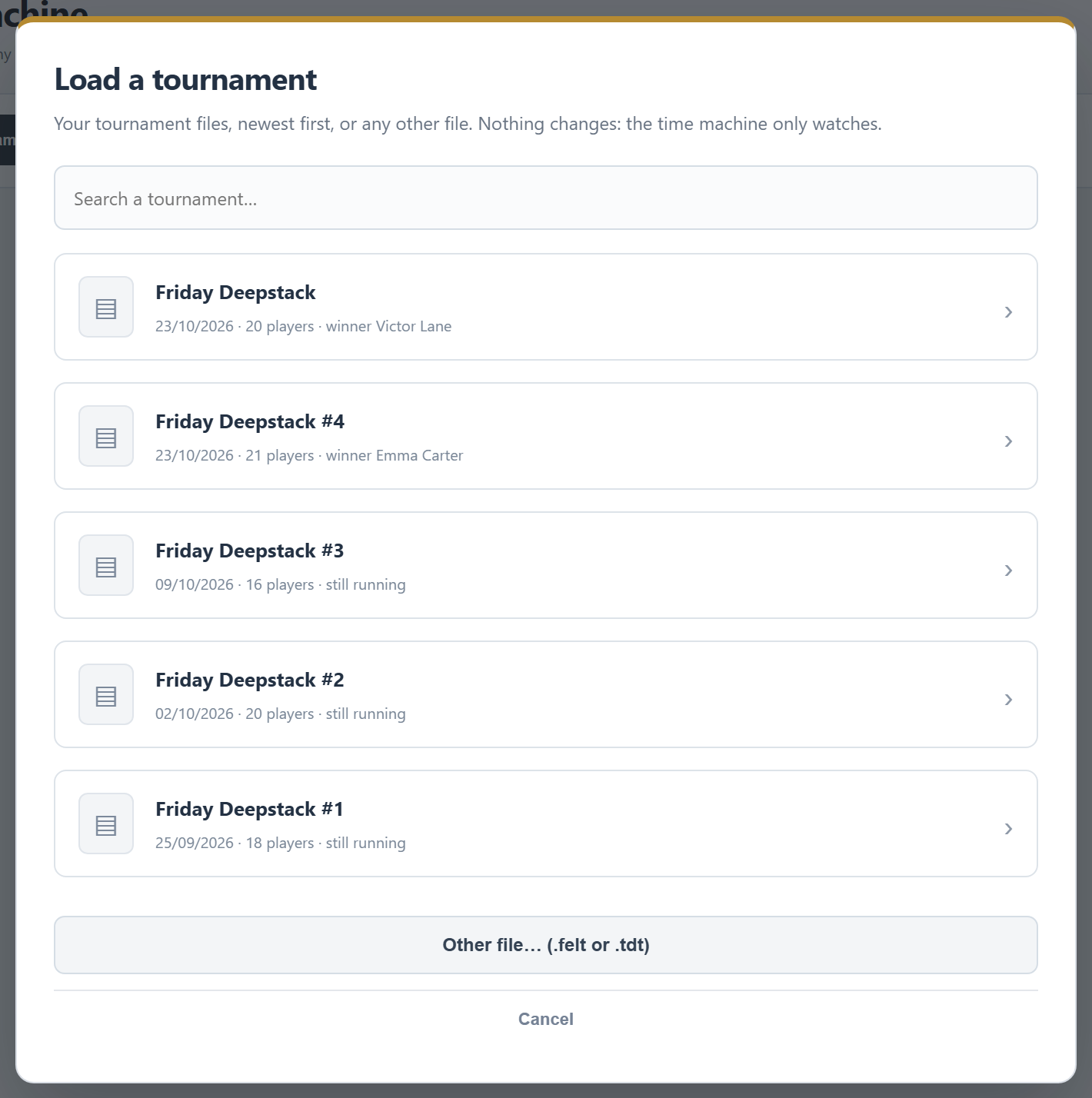
Load tournament… lists:
- Tournament files: the nights in your tournament folder, newest first, with players and winner. The search box filters on name, date and winner.
- Earlier nights in this FeltTD: finished nights that have no file of their own.
- Other file… (.felt or .tdt): a night from another computer, or from your old tournament software. It is only read, never stored.
Also: Replay this night on a finished tournament opens it straight away, and in Events Older nights in the Time machine → brings you here.
Playing it back
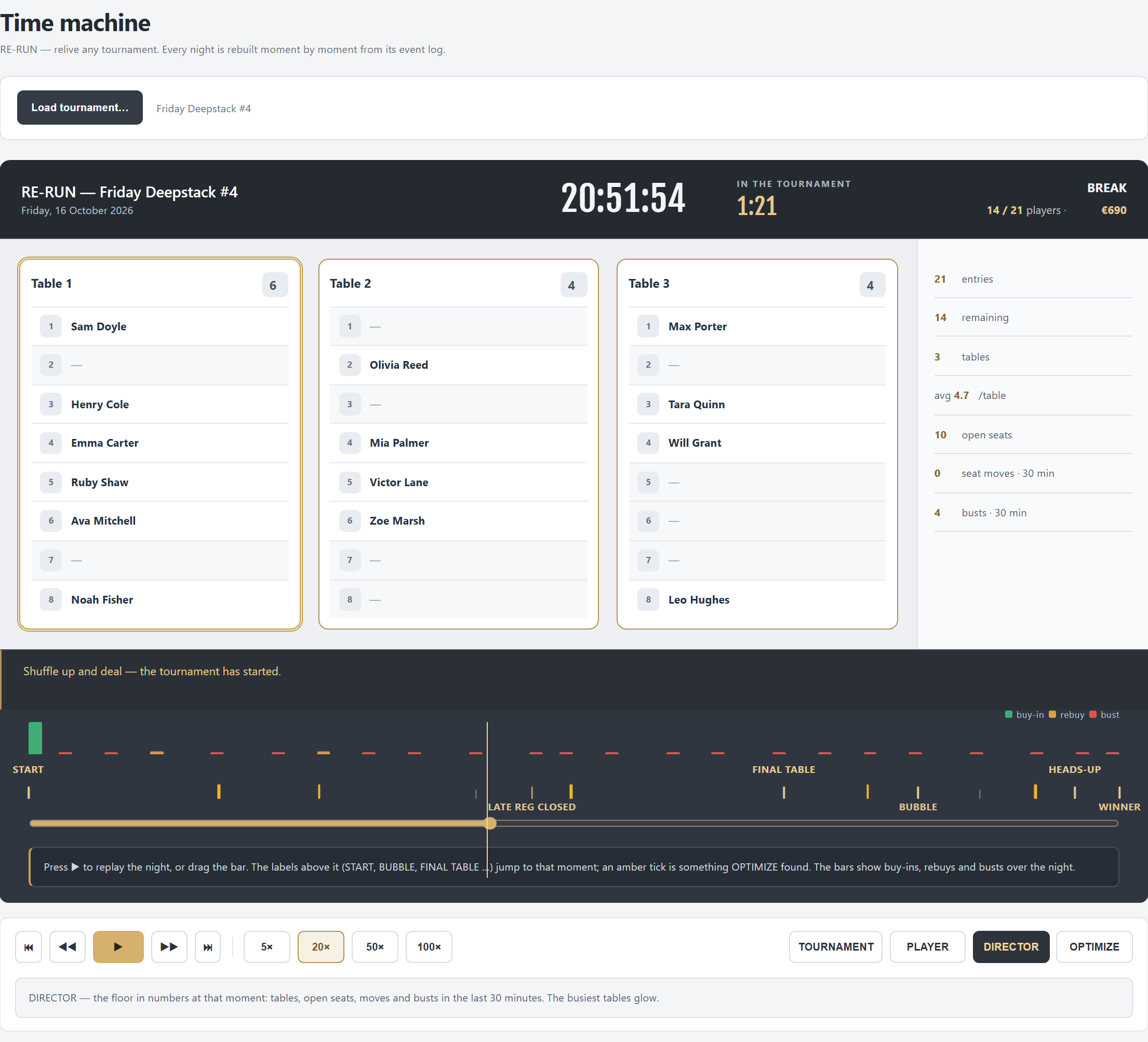
- On top: the time of day, how long the tournament had been running, the level and blinds, the players left and the prize pool at that moment.
- ⏮ / ⏭ jump to the start or the end; ◀◀ / ▶▶ go five minutes back or forward; ▶ plays. Speed 5×, 20× (the default), 50× or 100×: at 100× an hour takes 36 seconds.
- The timeline: bars for buy-ins (green), rebuys (amber) and busts (red); hover a bar for its counts, click it to jump there. Above it the milestones: START, every 10, 25 or 50 entries, BUBBLE, FINAL TABLE, HEADS-UP, WINNER, breaks, LATE REG CLOSED and the number of tables. Click one to jump. Drag the slider to go anywhere.
- The room: every table with its players at that moment; a table that was broken up stays as a grey shadow. Click a player to follow them.
Actions that were undone that night do not show: the replay is the night as it really ended up.
Four ways to look
| Mode | Shows |
|---|---|
| TOURNAMENT | This moment: the last actions (bought in, re-entry, add-on, moved, busted with their place, a table broken up), newest first, with who did it on which device. Money only keeps the money actions. |
| PLAYER | One player's night: the seats they had, re-entries, moves, where they finished and what they won. FOLLOW highlights their table. |
| DIRECTOR | The floor at a glance: entries, players left, tables, the average per table, open seats, and moves and busts in the last 30 minutes. Busy tables glow. |
| OPTIMIZE | The whole night analysed (below). |
The night analysed
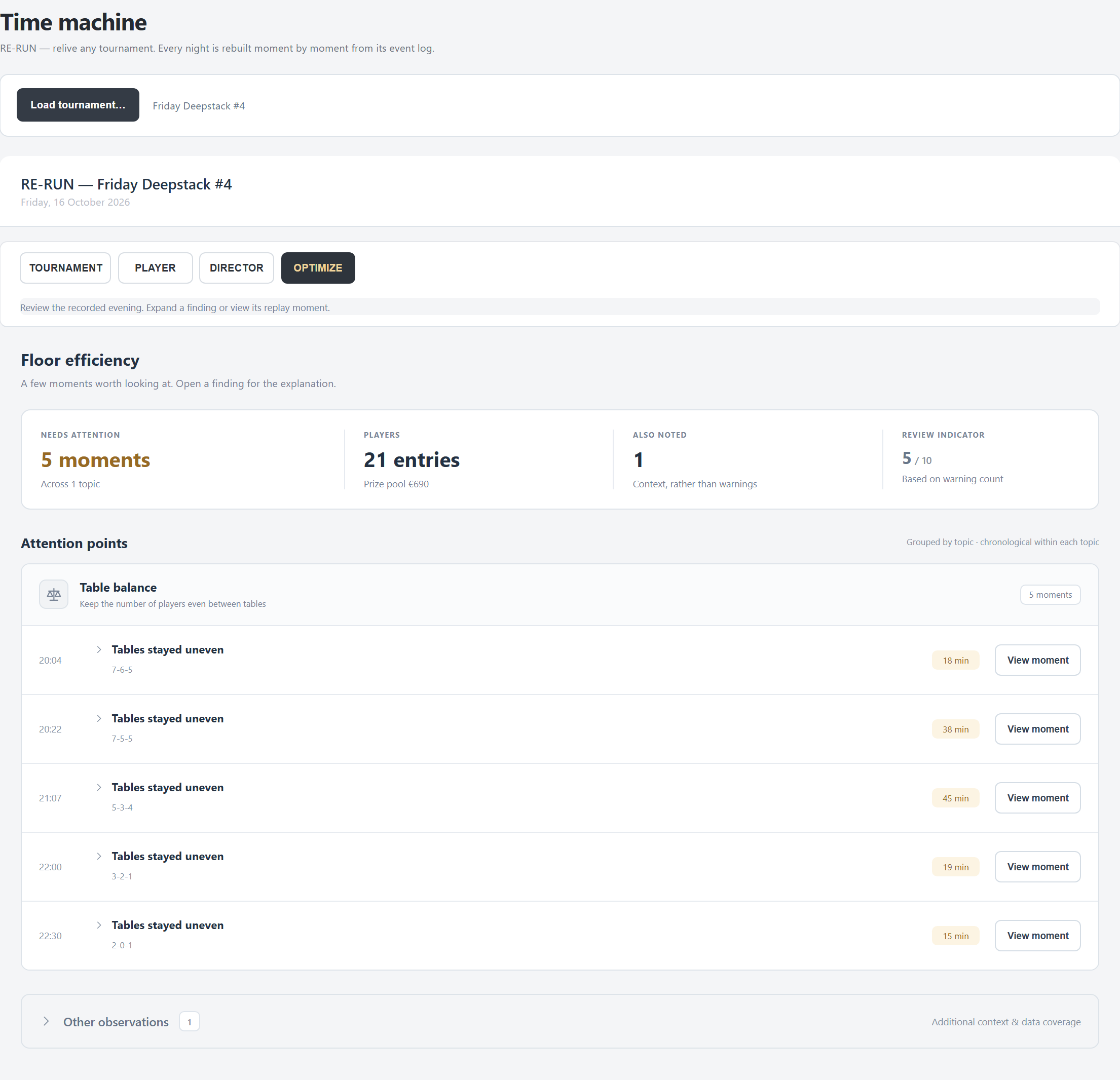
OPTIMIZE reads the whole night and looks for moments the floor could do better:
- Table balance: tables two or more players apart for eight minutes or longer.
- Table breaks: a table broken up six minutes or more after everyone fitted at the others.
- Seating: paid players waiting four minutes or more while seats were free.
- Other observations: a rush of 20 or more buy-ins in ten minutes, a schedule that drifted ten minutes or more.
Each finding says what happened and what to do next time; View moment takes you to it. The review indicator gives the night a mark out of 10. A night from old tournament software has no seating data, so its analysis is shorter.
Going back for real
The Time machine never changes a night. To really return a running tournament to an earlier moment: Tournament › MORE › Restore a moment (Tournament), on the tournament PC. For a finished night: Correct this night on its results page, then Restore a moment there.
The Time machine opens nights on the tournament PC; another device shows an empty list.