Help · More rooms and screens
The cash room
Cash games next to the tournaments: who sits where, what they bought in for and took away, what they owe for their seat, and who is waiting. FeltTD keeps the money; the chips stay on the table.
On this page
Into the cash roomGamesTablesSeating playersAt the tablesTop-ups and cash-outsWaiting list and callsCash desk and the dropOn the TVGood to know
Into the cash room
- The cash room is always there. Open it from the room switcher at the top (the tournament name): Cash · Cash games. It shows how many tables and players, and warns when a seat is free while people wait.
- The menu on the left changes: Cash, Tables, Club players, At the tables, Waiting list and Cash desk. The tournaments keep running; switch back the same way.
- The bar on top shows who is seated, the tables, who waits, the money in play and what is owed, and the buttons for the room: what the TV shows (BOARD, GAMES, WAITING), Call…, an announcement, Drop, Seat players (F2) and Undo.
Games
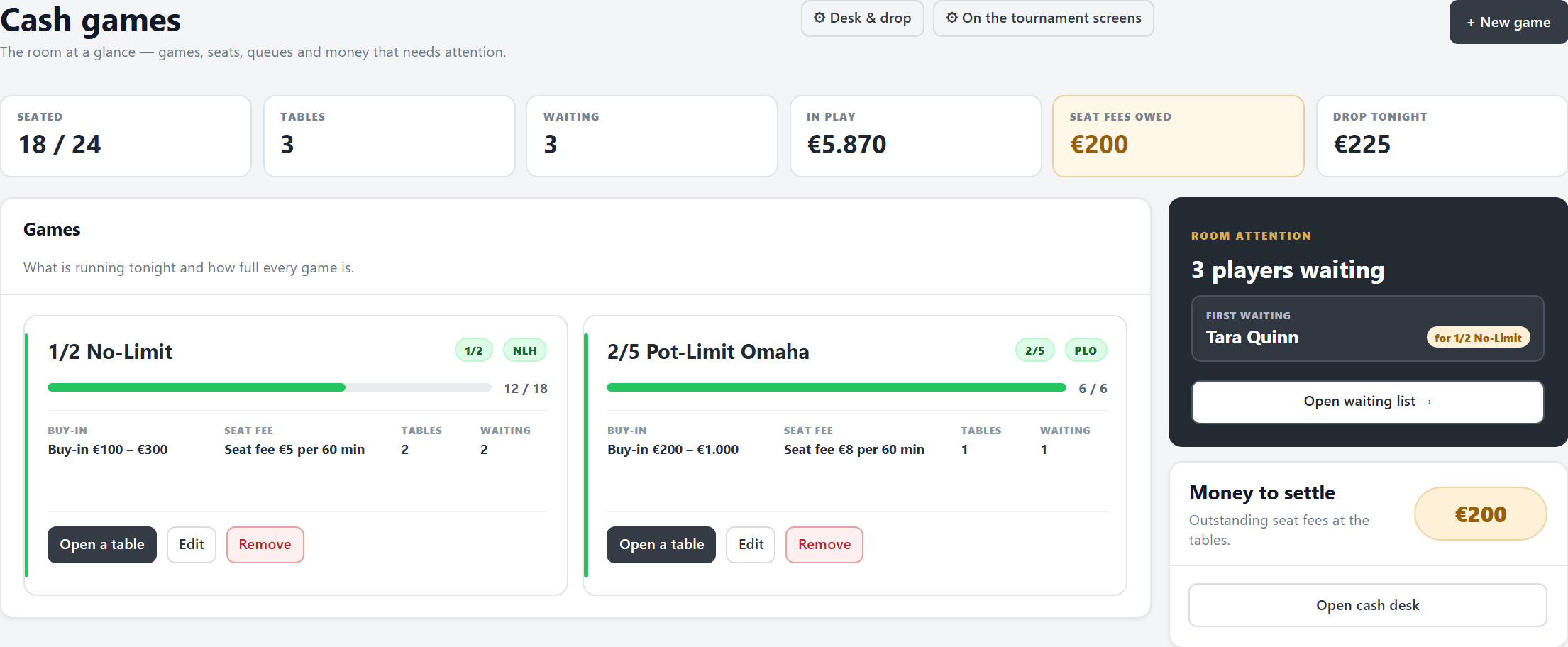
- + New game: a name (“1/2 No-Limit”), the stakes and the game, seats per table (2 to 12), the minimum and maximum buy-in, and the seat fee: an amount per period of so many minutes, free minutes before it starts, and/or a fee once on sitting down. Save.
- On top: who is seated, the tables, who waits, the money in play, the seat fees owed and the drop tonight.
- Each game card shows how full it is, its buy-in and seat fee, its tables and who waits for it: Open a table, Edit, Remove (not while players sit in it).
- A change to a game counts from now on: players who already cashed out keep what they paid.
Tables
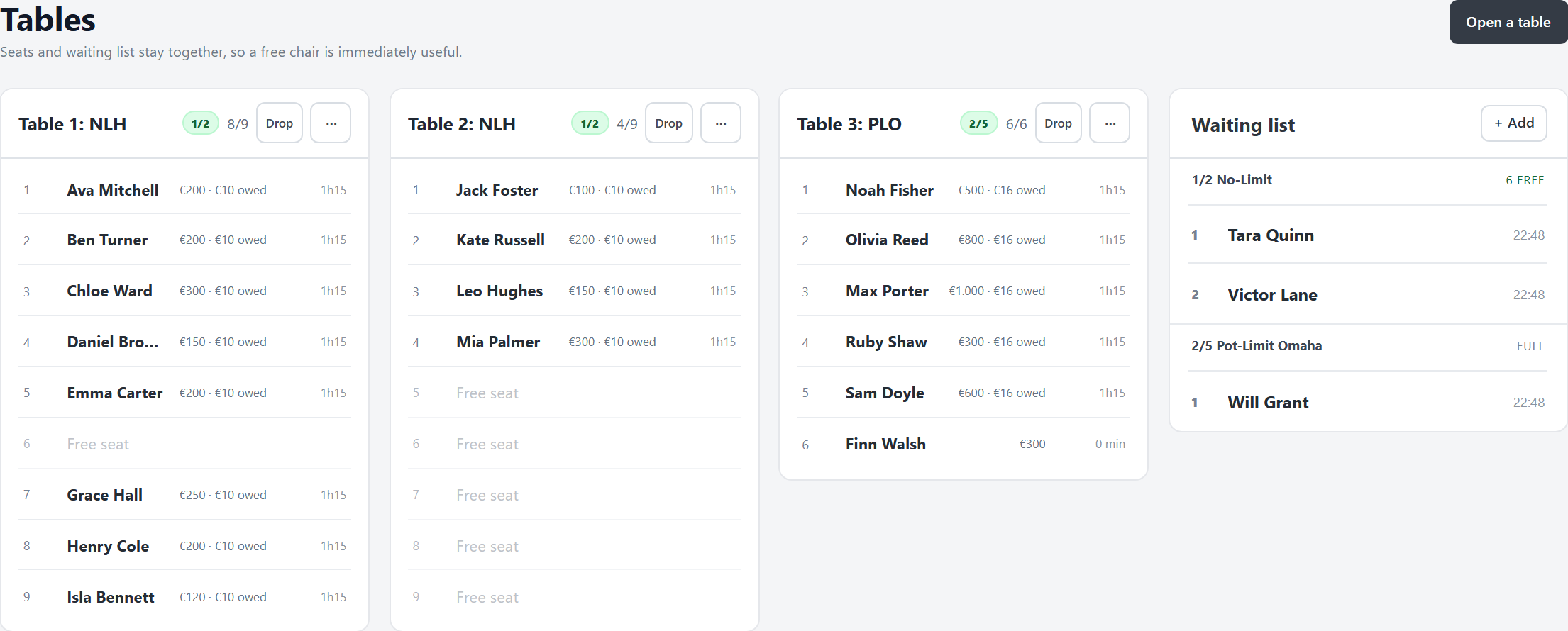
- Open a table for a game. Each seat shows the player, the money in, what they owe and their seat time; an empty seat says Free seat.
- Click a player for their menu (top up, collect, cash out, move). To move, click the free seat they go to: only seats of the same game light up. Dragging a player onto a seat works too.
- The table's ⋯ (or a right-click on its head): Rename table, Seat + and Seat − (2 to 12), Drop, Close (when nobody sits there).
- On the right, the waiting list per game: click a name, then a free seat.
Seating players
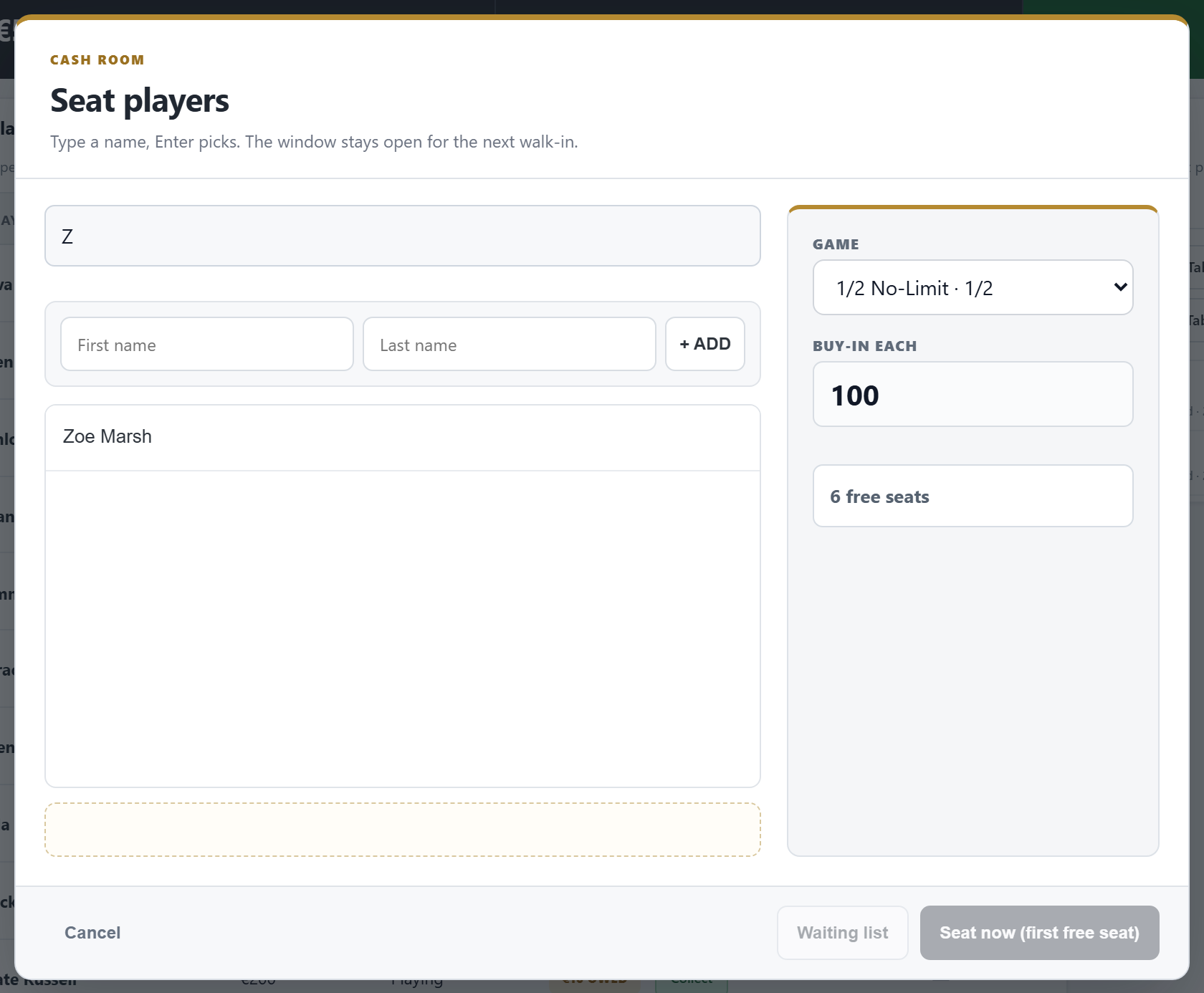
- F2 or the chair button: type a name (Enter picks it), or a new first and last name with + ADD. Pick the game and the buy-in each, then Seat now (first free seat) or Waiting list. The window stays open for the next one.
- The buy-in must lie between the game's minimum and maximum; FeltTD says so before anyone moves.
- From Club players: Seat or Waiting list next to a name; + New player for someone new.
- Someone on the waiting list who sits down leaves the list, however they were seated.
At the tables
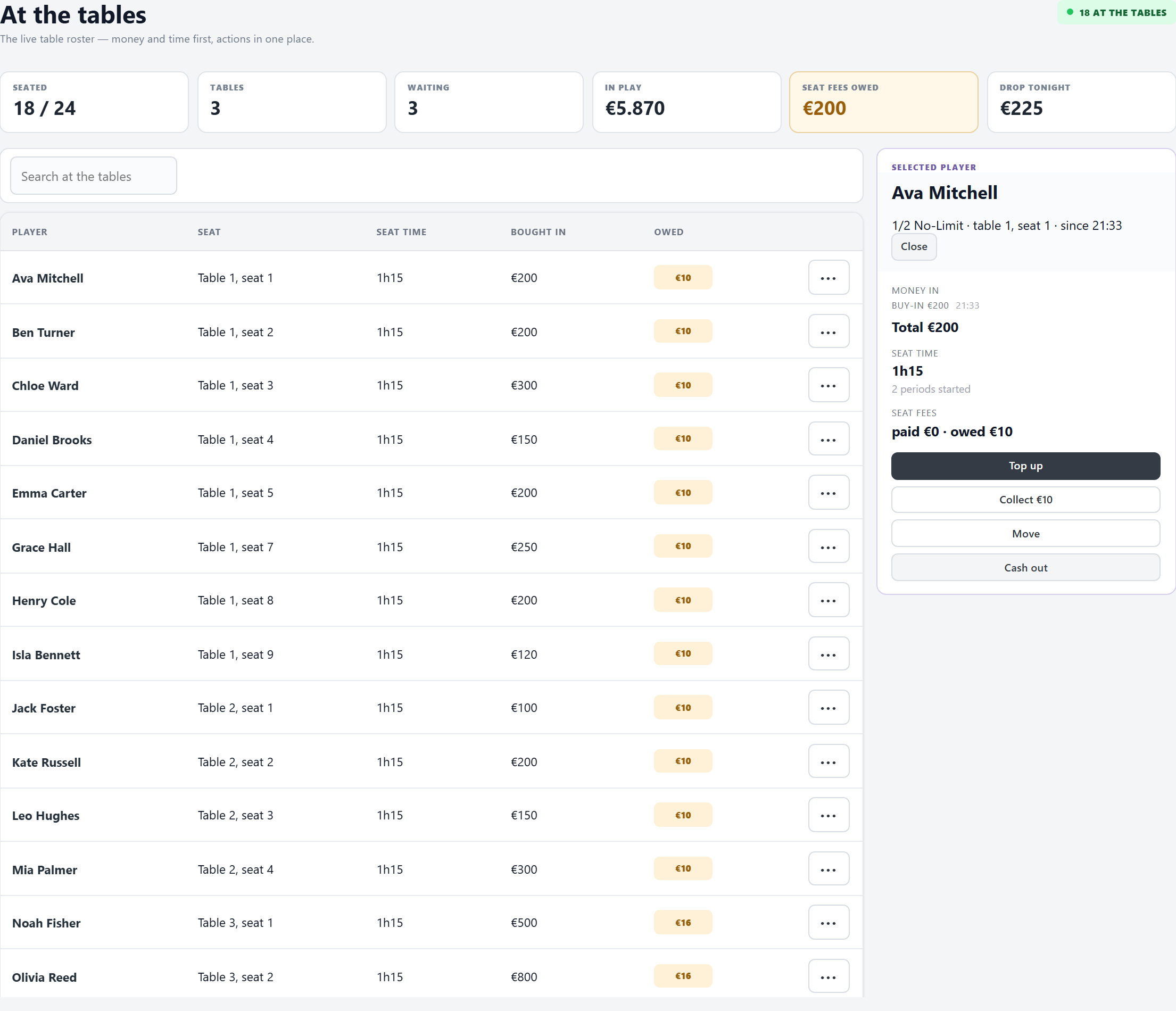
- Everyone seated, with seat, seat time, bought in and owed; search by name.
- Click a player: every buy-in and top-up with its time, the seat time and how many fee periods have started, what is paid and owed, and Top up, Collect, Move and Cash out.
Top-ups and cash-outs
- Top up: more money in, at any time.
- Seat fee: charged per started period, after the free minutes; the fee on sitting down is owed at once. Collect takes what is owed now (the round of the table).
- Cash out: type what they take away (
0if nothing). What is still owed is settled then: paid at the desk, or, when you tick it, taken off the cash-out. A stack too small for the seat time pays what it has; the rest stays owed on the Cash desk, to collect or waive there. FeltTD shows the result: what went out minus what came in. - A mistake at the desk: Undo in the top bar takes the last action back (a seat, a top-up, a fee, a cash-out, a drop, the waiting list).
Waiting list and calls
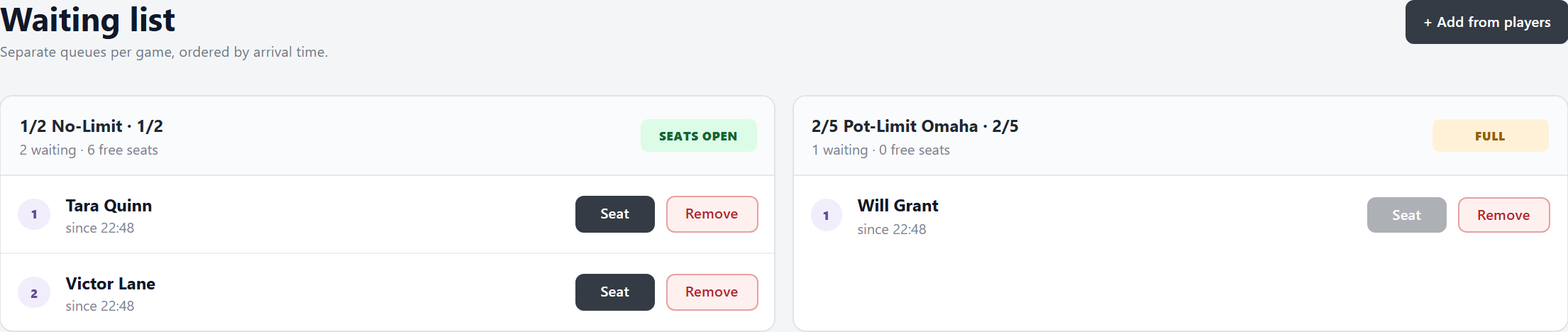
- Per game, in order of arrival, with the time they came. Seat (when a seat is free) or Remove.
- Call… (the phone button): “Anna, table 2, seat 5” on the TV for two minutes. The seat is not taken until they sit down; seating them answers the call. Right-click the button to clear a call.
Cash desk and the drop
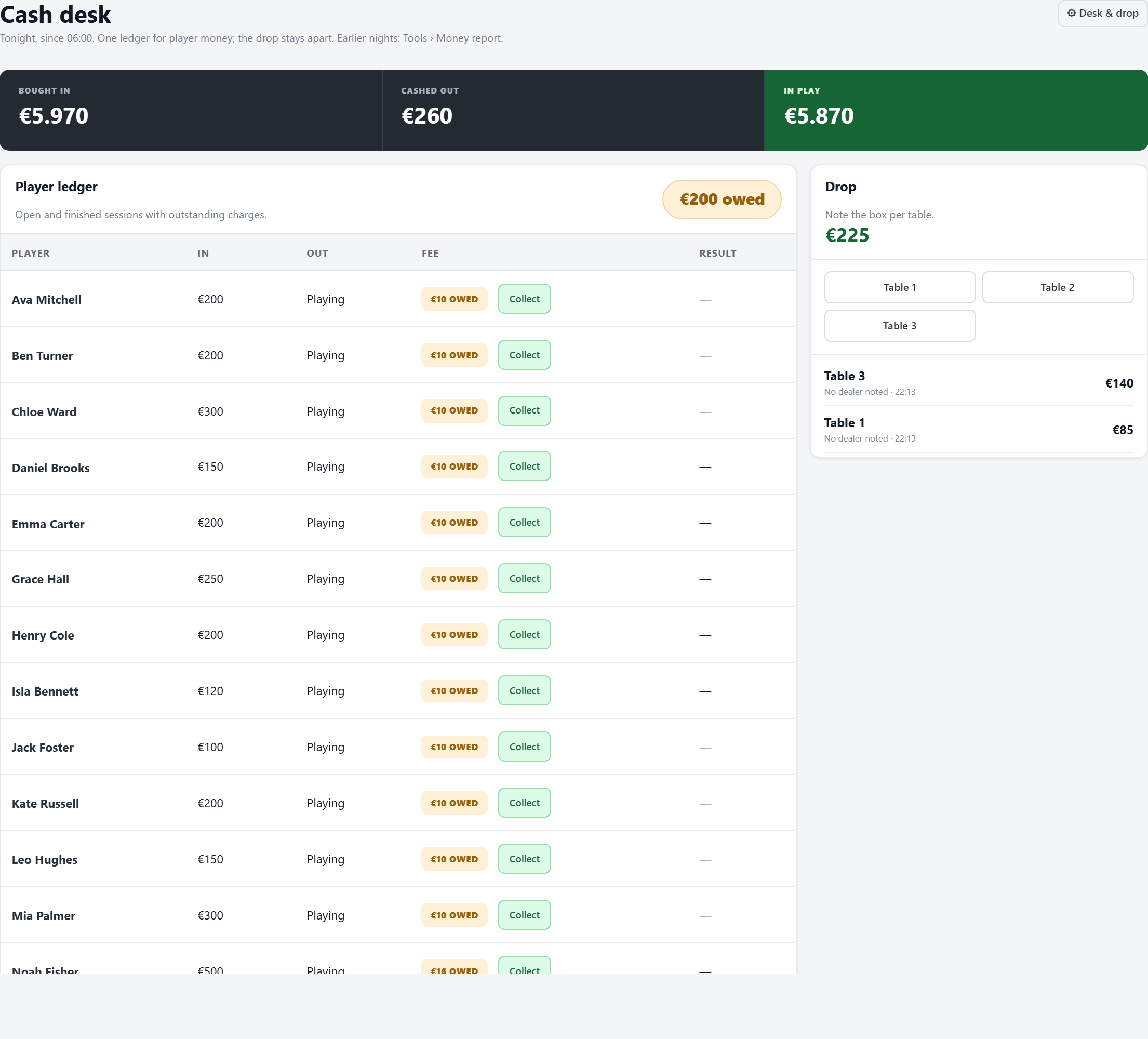
- Money flow: bought in, cashed out, and still in play.
- Player ledger: per session in, out (or “Playing”), the fee (paid, or owed with Collect) and the result.
- Drop: note what a table's box held (the drop button, or per table). FeltTD does not work out rake: it notes the box. With Preferences › Desk & drop, it also asks which dealer.
- The desk shows tonight: from six in the morning to six the next morning, so a night past midnight stays one night. Players still sitting from earlier count too, and a seat fee still owed from an earlier night stays in the ledger with its night (Still owed from…) until you collect it or let it go with Waive (asked once; Undo takes it back, and the money report shows it apart as waived, never as money); it counts in what is owed, never in tonight's money in and out. Earlier nights and whole periods are in Tools › Money report, cash and tournaments together.
On the TV
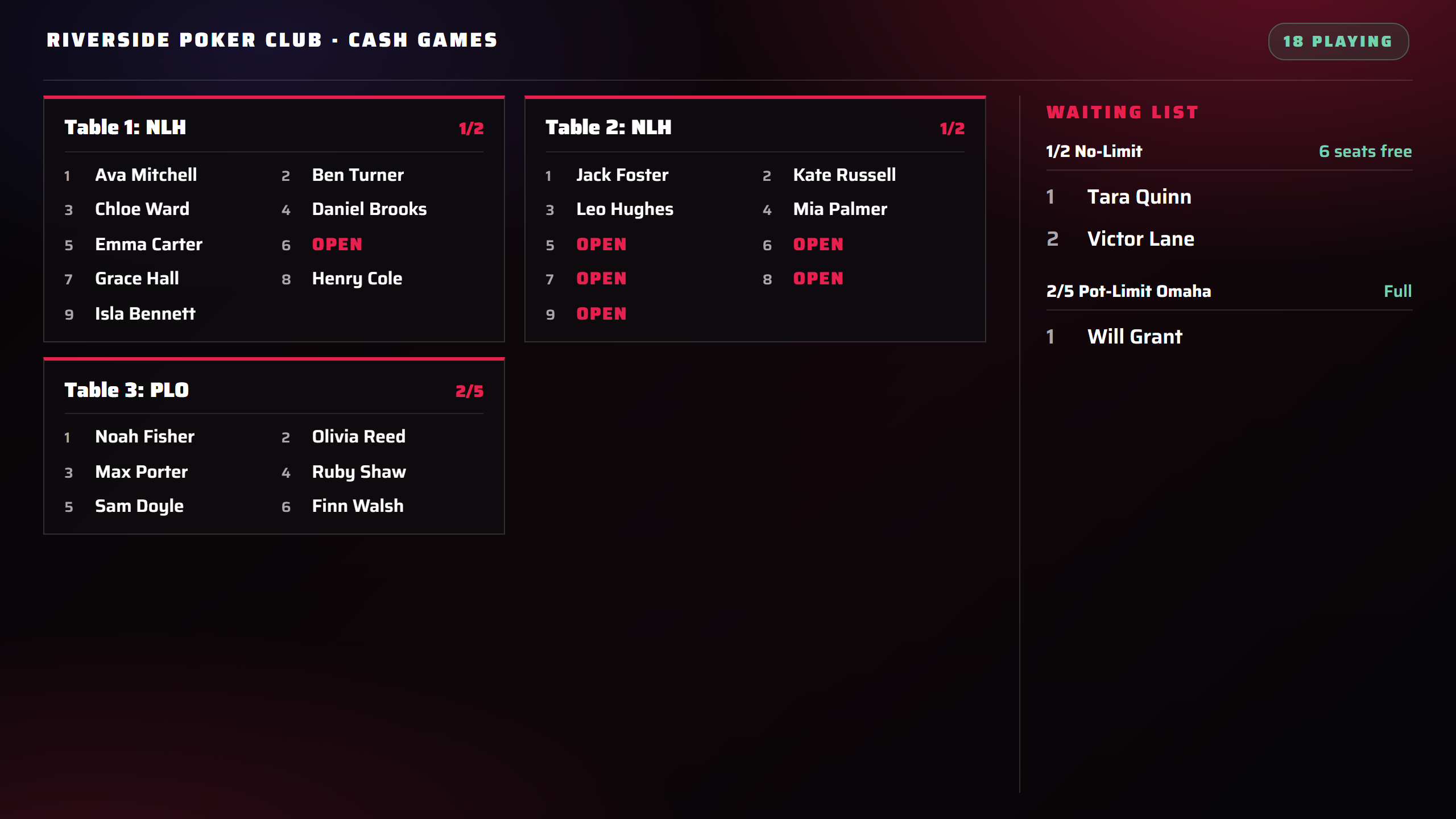
- A screen shows the cash room when it is assigned to Cash games (Preferences › Screens & floor), or automatically when no tournament is open and a cash table is.
- BOARD: the tables, seat by seat, and who waits. GAMES: tonight's games with their stakes, buy-in and free seats. WAITING: the waiting list, large. A call shows on top of each.
- On tournament screens: tick Show a cash strip under Preferences › On the tournament screens, and the clock gets a strip with the cash games, their free seats and who waits.
Good to know
- Seat time keeps running while FeltTD is closed: closing does not cash anyone out.
- Players move between seats of their own game; to change game, cash out and sit down in the other.
- The floor phone runs tournaments; the cash room is run from the manager (a device with full TD rights can open it there).
- Games, tables and the waiting list can be handled from a device with floor rights; changing a game or opening and closing tables asks for the tournament code.