Database
Everyone who ever played at the club, with their results and FeltIQ, and the player groups for your regulars. Every tournament and the cash room register from this list.
The list
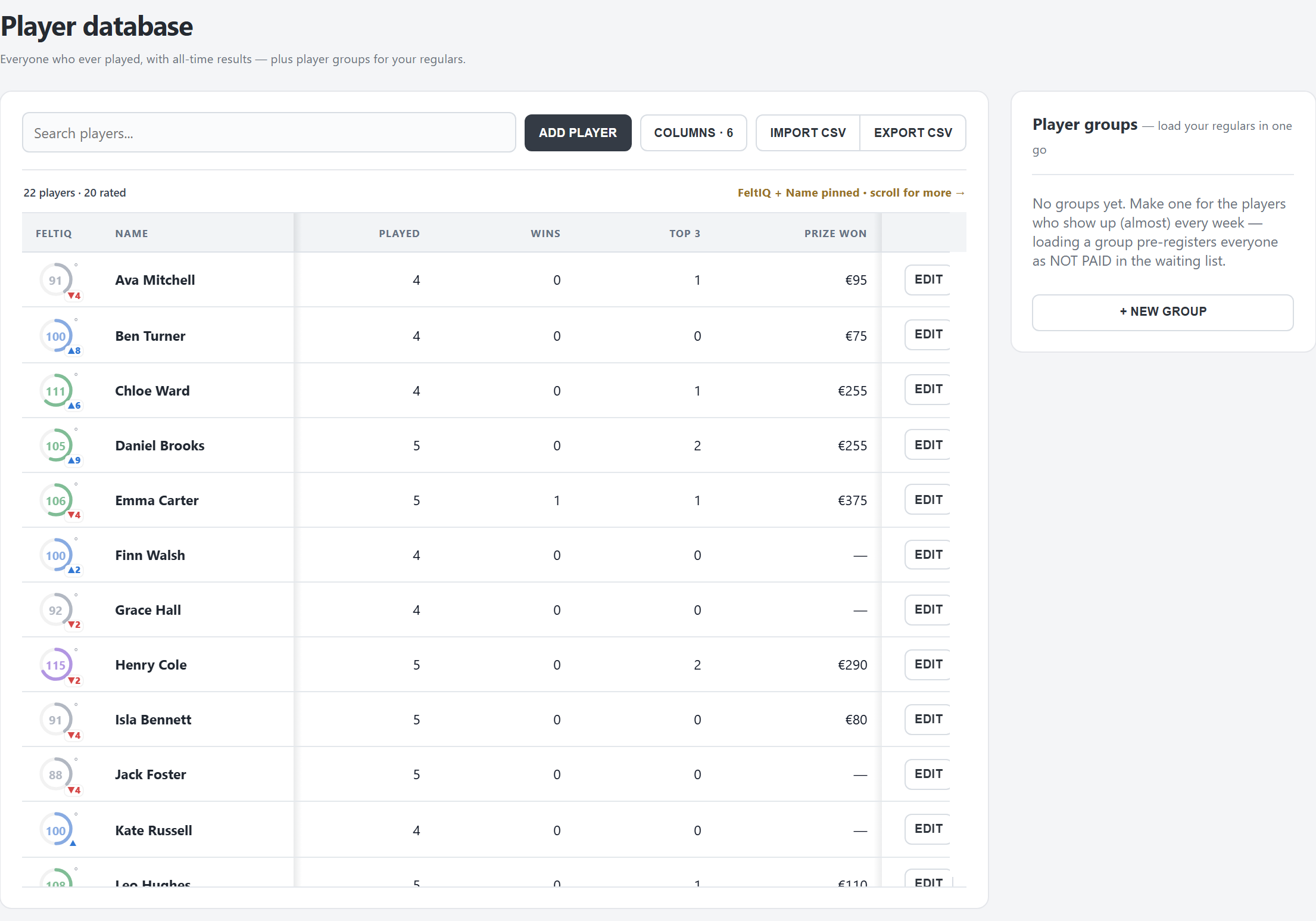
- Alphabetical; Search players… finds a name. The first 150 show; LOAD MORE adds the rest.
- FeltIQ: the player's strength from their results (see ClubIQ). ° means provisional (fewer than 7 nights); a player with fewer than 3 nights has no number yet. Hover the ring for the exact figure; ▲ / ▼ is the change after the latest night.
- Played, Wins, Top 3 and Prize won: from the tournaments played in FeltTD.
- COLUMNS: show more: nickname, email, phone, city, country, member number, birthday, notes, the IDs. FeltIQ and Name always stay. The choice is kept in this browser.
Adding and editing
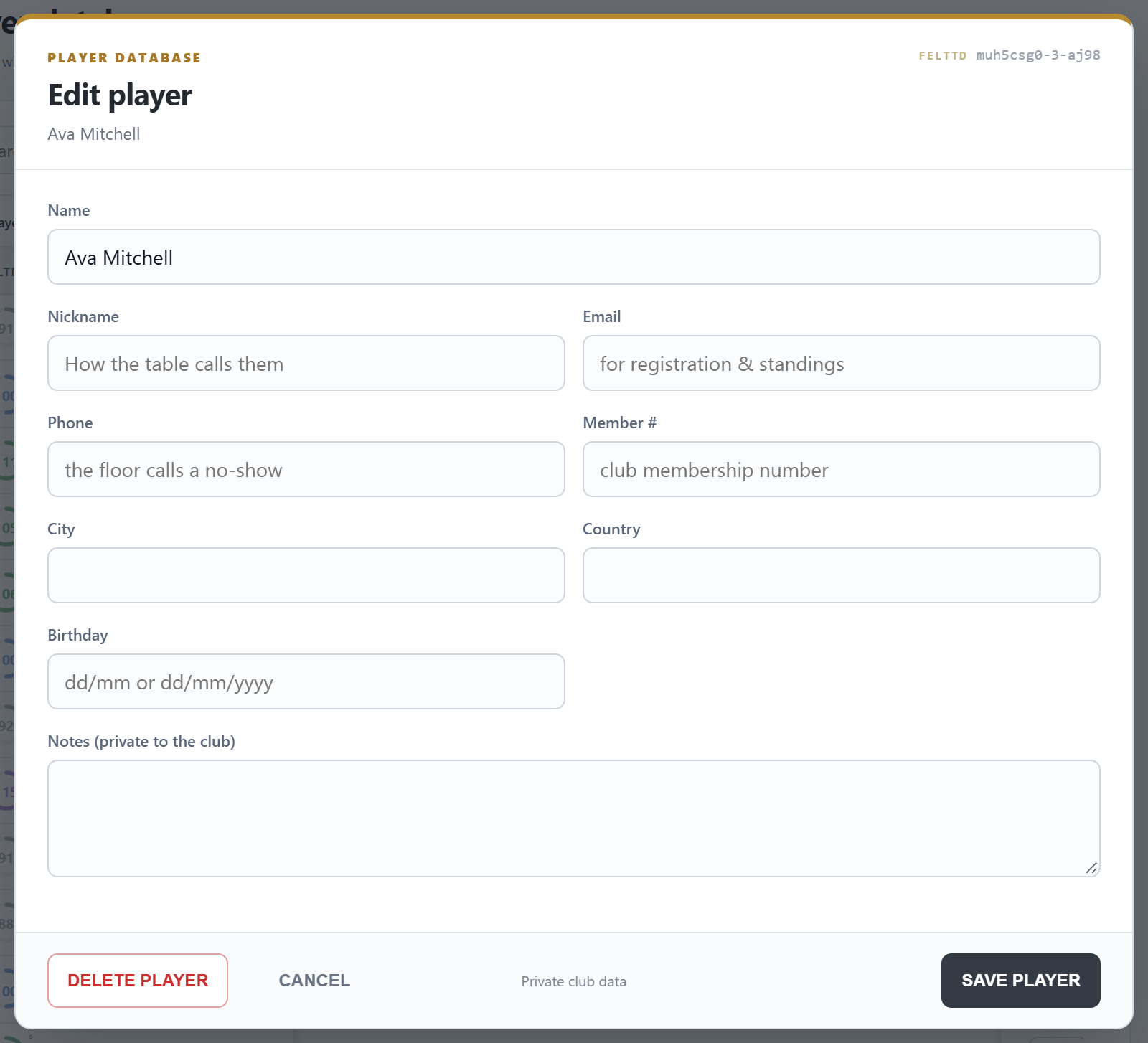
- ADD PLAYER: a new player. A name FeltTD doesn't know yet can also be added straight from the Players tab while registering.
- EDIT (or right-click › Edit player…): the name, Nickname (how the table calls them), Email, Phone, Member #, City, Country, Birthday (dd/mm, the year is optional; FeltTD never shows an age) and Notes (private to the club). Two players cannot have the same name.
- DELETE PLAYER: removes them from the list; their past results stay. Not possible while they play in an open tournament.
The details stay on the tournament PC: phones and screens on the network get the names, never the phone numbers or notes. Editing on another device changes the name or fills in a field, but never clears what that device cannot see.
Duplicates
The same person twice (“Jan Peeters” and “Jan Peters”)? Right-click the one that should go › Merge into… and pick the one that stays. All results of the first move to the second, and the first disappears. Details are not copied over: check the one that stays. A merge cannot be undone, and is refused while both are in the same open tournament.
Import and export
- IMPORT CSV: players from a player export of your old tournament software, or any comma-separated file with a Name column (and optionally Email 1, Phone 1, ID, Street Address, Zipcode, City, Country). Names already in the list are skipped.
- EXPORT CSV: the list in the same format. Nickname, member number, birthday and notes are not in it: for a full copy, use the backup (Preferences › Tournament files).
Player groups
- + NEW GROUP: a name (“Thursday regulars”) and the players. Or right-click a player › Add to group….
- LOAD pre-registers the whole group in the selected tournament: not paid, no seat yet, waiting at the desk. Players already in are skipped. After late registration has closed, FeltTD asks first and marks them as late.
Names on the TV
Preferences › Club › Player names: room screens show the real name, or the nickname when one is set (the seating, the break slides, Table Talk). The manager, the floor phones, prints and the ranking always use the real name.
Good to know
- FeltIQ, Table Talk and the ranking follow renames and merges, old history files too: a player is found by every name they ever had. A name two different players had stays apart.
- Played, wins and prizes are counted on the tournament PC; another device shows them empty.
- Adding players and changing names works with floor rights; groups, merging and deleting need full TD rights.