The night ends.
The club carries on.
Your league, your players and your records build up from the nights you play. Keep the regular work familiar, and look back when you want to learn more.
Your regulars.
Your points.
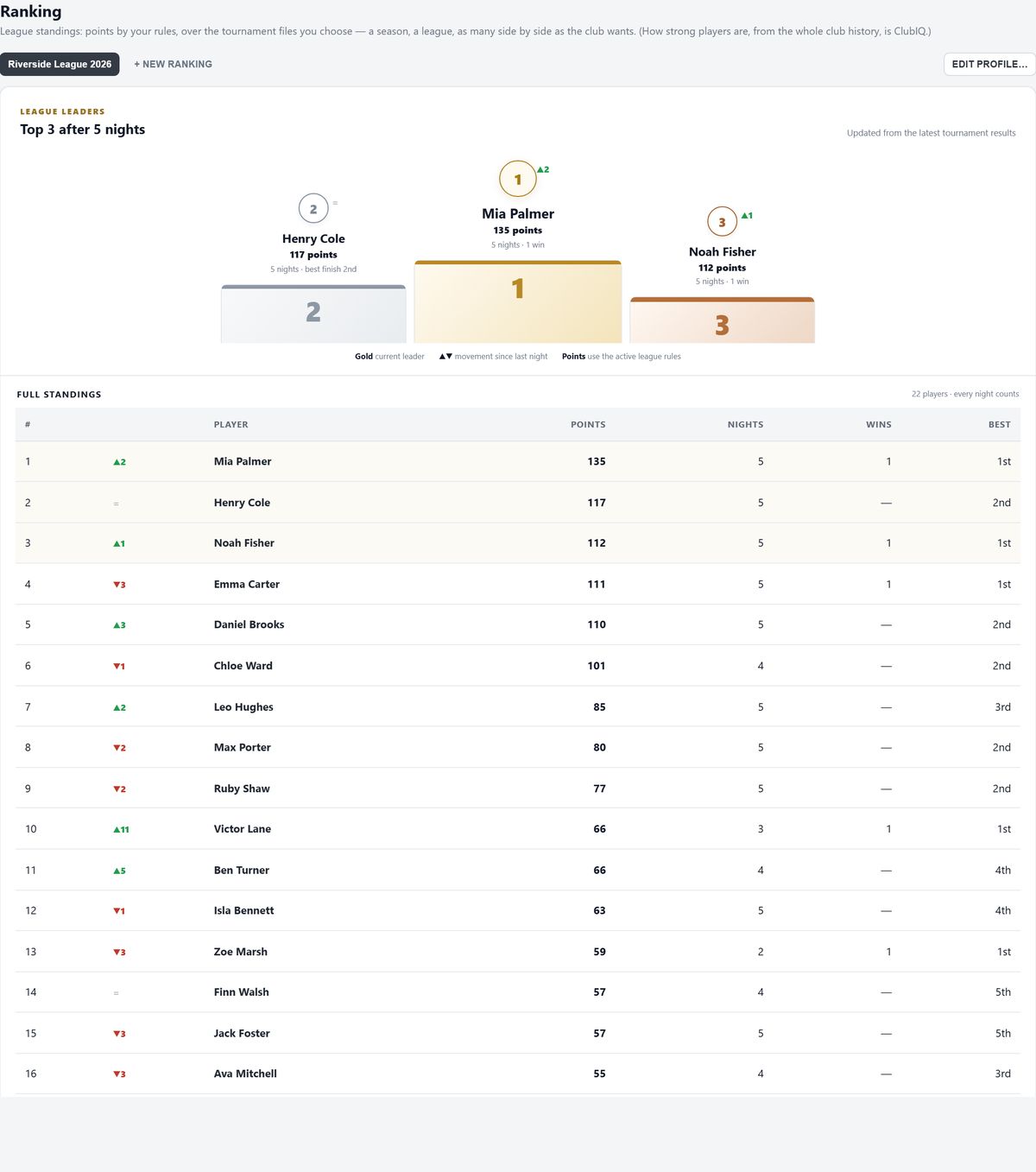
Turn the nights you play into a league. Choose the tournaments, the season and the points system. Run a main league and a special series side by side, with standings ready for the room or the group chat.
- Rules for your club. Presets, your own formula and best-N results.
- Keep the season in focus. Dates, weights and weekly or monthly counting.
- Tonight’s exceptions. Adjust ranking points per tournament and profile when needed.
Play it back.
See what happened.
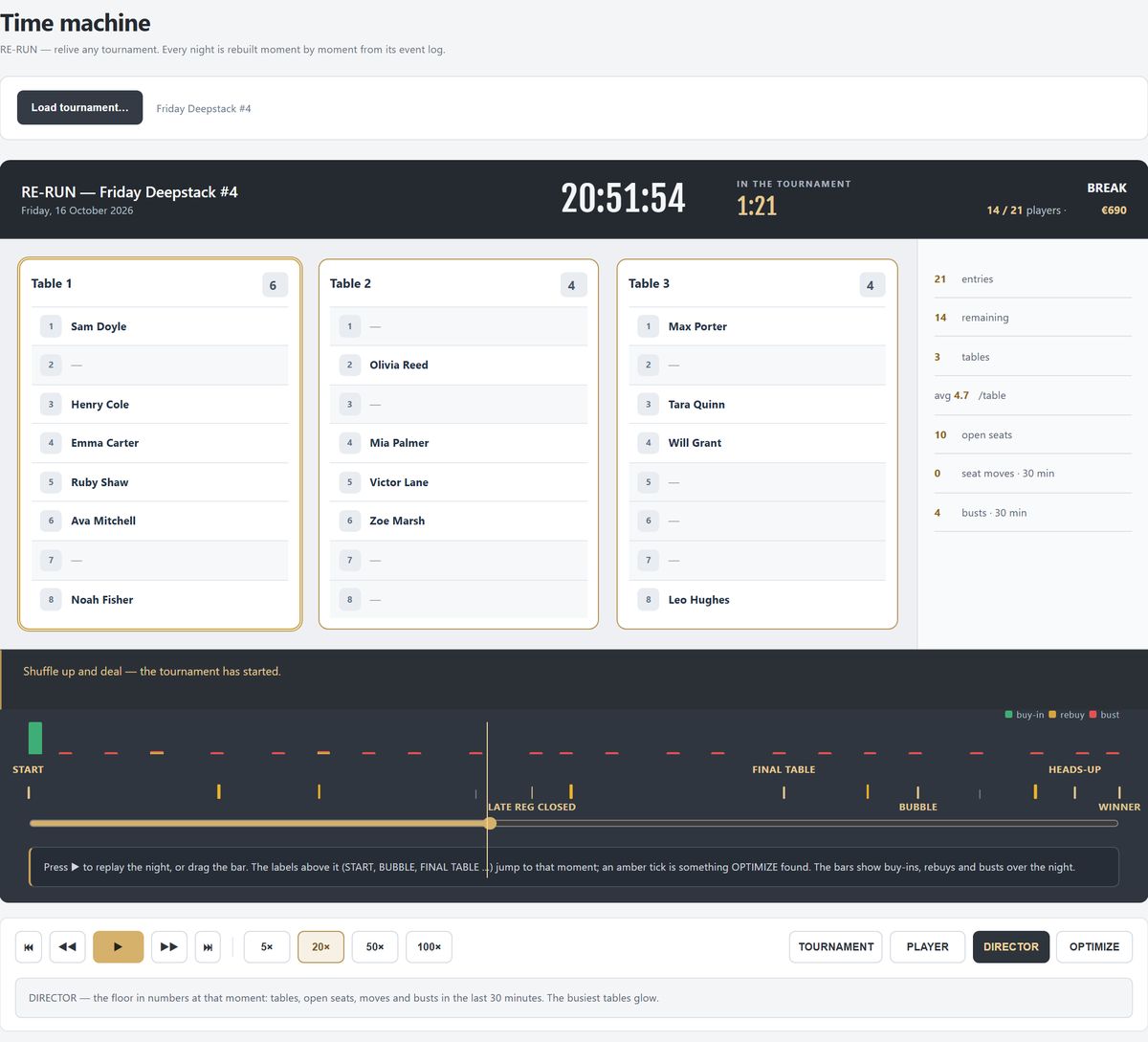
The time machine rebuilds the night from its record. Follow a player, jump to the bubble or look at a table break. OPTIMIZE highlights moments worth reviewing, so the next night can run more smoothly.
- The tables as they were. Replay the seating and the clock.
- Find the moment. Use milestones and the timeline.
- Learn from the floor. Review balance, breaks and waiting time.
Know what the
club kept.
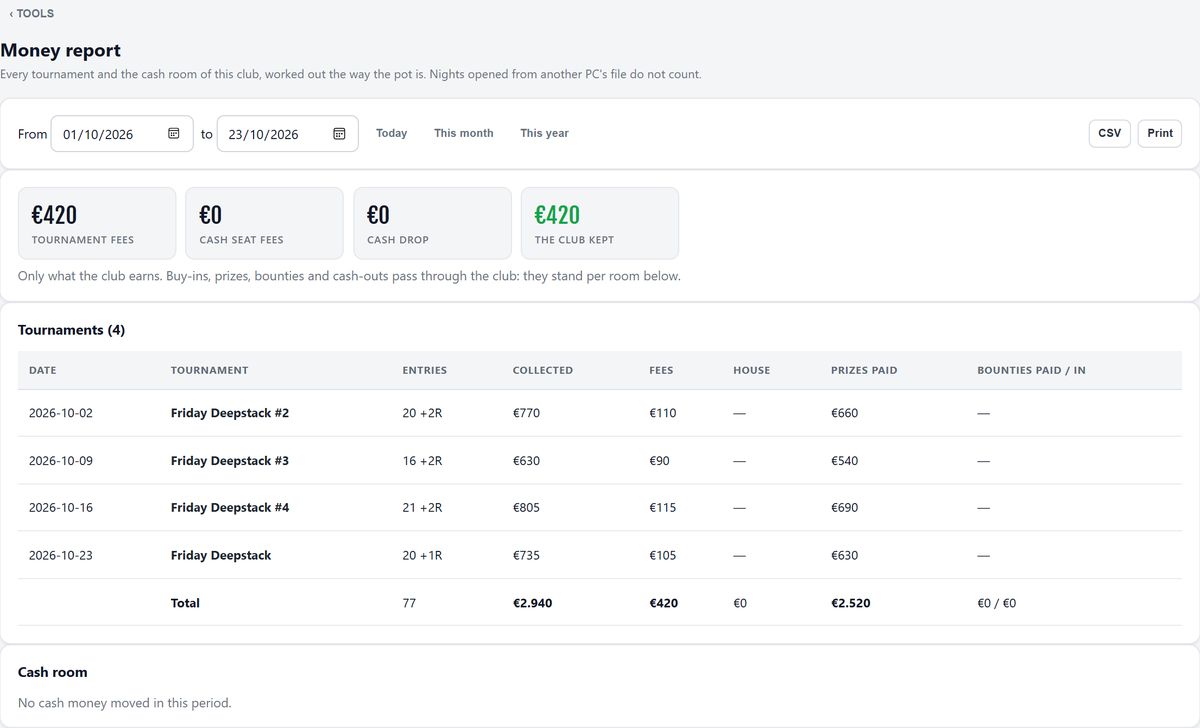
See tournament fees, seat fees and drop for a night or a period. Keep house contributions separate. Export the report for your accountant and print the night’s summary for your own records.
- A club night, not a calendar day. The six-to-six boundary keeps late games together.
- Real nights only in the totals. Practice nights are labelled and excluded.
- Your files. Tournament records, exports and recovery copies stay under your control.
Keep the work you put in.
A player database
Names, groups, history and the details your club chooses to keep. Merge duplicate records and bring players in by CSV.
ClubIQ & FeltIQ
A view of the strength of the field, based on results. Player ratings stay on the PC; publishing the club figure is optional.
A recovery copy
Mirror the saved records to a second folder. Use another device or disk to protect against losing the original machine.
The details, when you need them.
Open a topic. Keep the rest out of the way.
Your league, your points.
Several rankings side by side: the main league, an Iron Man, a summer series. Each picks its own nights, a folder or single files, with a tick per night and a weight for the final. Points come from a table with eight presets, from Balanced to Winner Takes Most, or from your own formula with the field size, the place, rebuys and add-ons.
- Best-N results, seasons with dates, counted per week or per month, a cap on rebuys that score.
- Preview on real nights: see the new top 10 against the saved one before you change the rules.
- The TV shows the top 30; export CSV, HTML for your website, or a share card for the group chat.
- Renames and merges carry through; the night files are never changed.
Replay any night. Then let it mark your floor.
Every night rebuilt from its log, moment by moment: the clock, the tables as they sat, who moved where. Play it at twenty times speed (an hour in three minutes), jump to the bubble or the final table, follow one player through the night, or see what the floor did in the last thirty minutes of any moment.
- OPTIMIZE flags tables left uneven for eight minutes, a table broken six minutes late, paid players waiting four minutes while seats were free, and gives the night a mark out of ten with a link to each moment.
- Who did what, on which device, with a money-only filter.
- Restore a moment rewinds the live night, after a rescue copy.
How strong is the field tonight?
ClubIQ is one number for the strength of the club’s player field, built from finishing places only: you beat everyone who went out before you, and beating strong players counts more. Knockouts, rebuys and attendance do not count. Six levels from Social to Premier, a trend over the last nights, and the distance to the next level. Show it on your club page if you like.
- FeltIQ per player, with a ± that says how sure the number is. New players move faster; a summer break costs nobody anything.
- Stays on the PC. There is no list of players by strength anywhere, and only the club figure can leave.
- Import your history from your old software and start with the club’s real past.
Everyone who ever played.
Nights, wins, top 3, prize money and FeltIQ per player. Nickname, email, phone, member number, city, birthday and private notes if the club wants them. Groups that register in one click. Merge the duplicates; results move with them. CSV in from your old software, CSV out whenever you want.
- The room sees the nickname if the club prefers; the desk, the prints and the ranking always use the real name.
- Details stay on the PC. Phones and screens get names, never phone numbers or notes.
- A birthday is said on the day itself, never with an age.
What the club kept, for any period.
The summary of a night: players, money, chips, bounties, the activity per level, payouts and results, printed as final or provisional. The money report for a day, a month or a year: tournament fees plus seat fees plus the drop, minus the house money, is what the club kept. One line per tournament, one per cash day, and a CSV that opens in Excel for the accountant.
- Practice nights stand in the list and count in no total.
- Anyone let in late is named in the report.
- Payouts are checked against the pool on every print.
Backups, a restart and a new PC
Tournament files are saved shortly after changes. A recovery copy can mirror the saved records to a USB stick, NAS or cloud-synced folder. Check a backup before restoring. A same-disk copy cannot protect against losing that disk; keep the recovery copy elsewhere.
Adjusting tonight’s ranking points
The Summary lists points for each ranking profile. Enter an absolute figure for a placed player when the club needs an adjustment, save it and use Undo to take it back. The adjustment belongs to that tournament and profile.
Let the club be found.
Publish your playing nights and a live clock without publishing your player database.